


ACTIVE DIRECTORY INTEGRATION
Centralize user access and security across your system
Sync your user data, groups, and attributes with our Inventory Management & Asset Tracking Systems for ease of use.

Role-Based Access Control for Inventory Management Software Using Active Directory
Using our asset tracking software with Active Directory integration enables role-based access control based on existing directory groups. This reduces the need to manage separate inventory permissions. Inventory tracking and inventory control activities such as receiving, transfers, adjustments, check-in/check-out and approvals usually need different permission levels that can all be governed through Active Directory. Asset tracking is treated as a specialized use case, whereas higher-value or serialized inventory items require more granular access controls within the same system. With centralized role management, organizations can maintain consistent inventory access policies across departments, locations, and inventory categories without duplicating efforts. When inventory access, user roles, and permissions are aligned with an organization’s existing IT identity framework, it also provides auditability and accountability benefits.
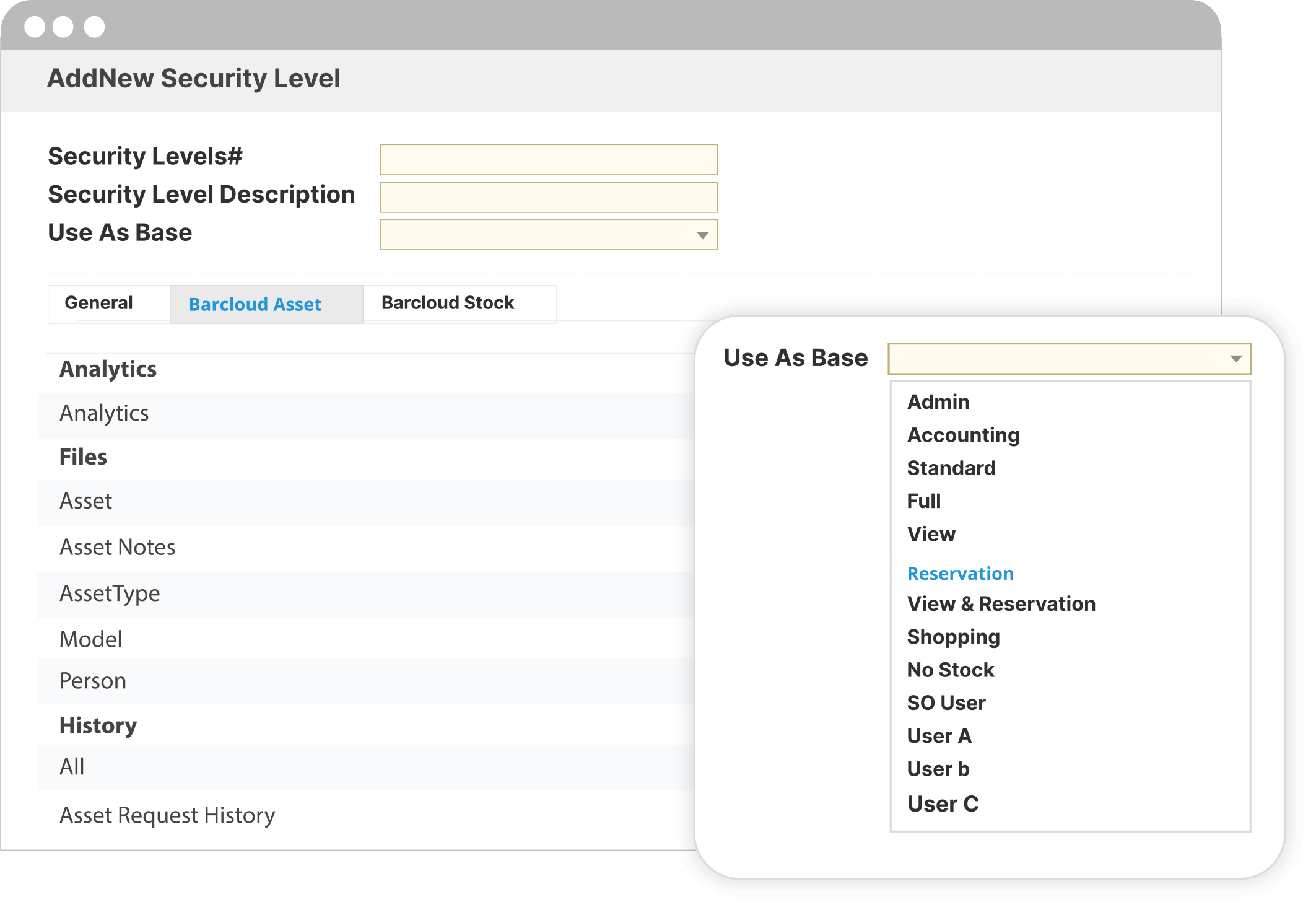
Integrating Microsoft Active Directory with Inventory and Assets
Seamlessly sync user data, user groups, user attributes and configure security settings across our Inventory and Asset Tracking Software
With Active Directory integration in our Inventory Control and Asset Management software, your organization’s existing data can be imported and synchronized across our Active Directory-enabled inventory system to provide you and your employees with easy access to the tools you need. This third-party integration provides your business with superior control over user attributes and access, translating into improved security, better password policies, an elevated user experience, seamless workflows and more. This setup can also support on-premise (local) Active Directory environments, which require a synchronization service to connect your directory to the system.
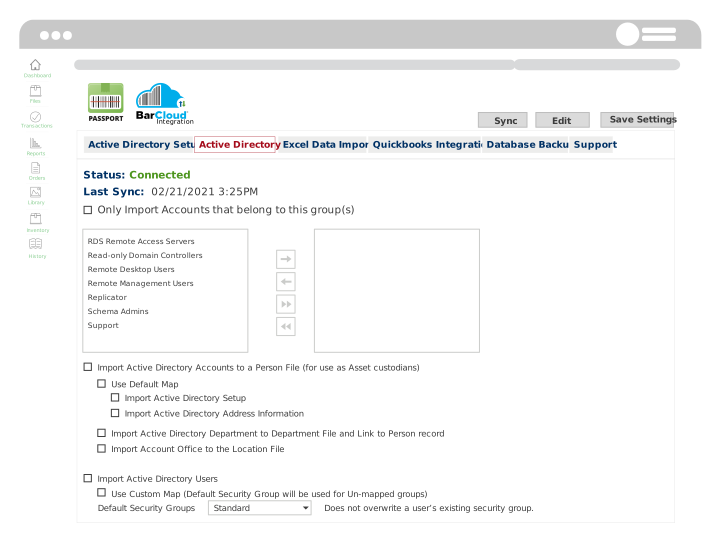
Secure your inventory and asset data
Centralize your resource database and security administration with this integration
Our Microsoft Azure Active Directory integration provides a cloud-based way to manage and secure your network resources, important for organizations that need to comply with federal cybersecurity legislation. Simply put, you can set up access levels for the Inventory and Asset Tracking Systems users in Active Directory itself. This allows your organization to also standardize and effectively implement cyber security policies for your network, inventory and assets.

Sync user data, attributes, groups and mobile devices across our Inventory and Asset Tracking System
Save time and effort by eliminating the need to manually enter each piece of information.
In the integration interface, an administrator must click on “Integration Settings” and from there, connect their organization’s server and sync previously created groups from Active Directory into our Inventory Management and Asset Tracking Systems.

Other Integrations
Check out who else our cutting-edge asset management software is integrated with
Our enterprise inventory management with Active Directory integration is beneficial, but our versatile systems also offer other integrations that may be great for your business. Learn more about our Inventory System and Asset Tracking Software’s other powerful integrations:
Centralized Identity Management for Inventory Tracking and Controlled Assets
Our Active Directory inventory management integration allows your organization to manage users, access levels, and secure authentication from a single authoritative source. This becomes increasingly important as inventory volumes, user counts, and operational complexity grow across your warehouses, stockrooms, and departments. This integration simplifies user lifecycle events such as onboarding/offboarding and role changes by automatically aligning inventory system access with directory updates. BarCloud helps you achieve stronger governance by giving you the power to manage inventory access through your existing IT policies rather than managing isolated user credentials inside the platform.
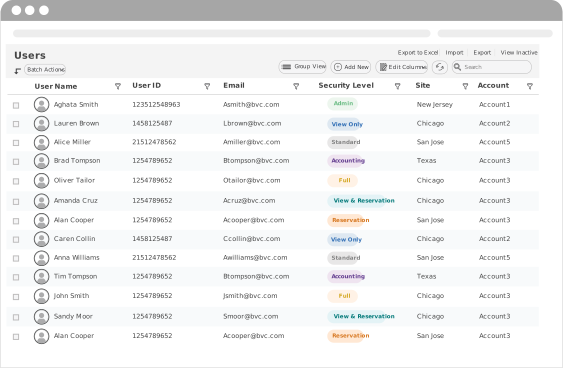
FAQs
How does Active Directory integration affect daily inventory management workflows?
This integration primarily affects user authentication and access, rather than the underlying inventory workflows themselves. Once authenticated, users interact with the same inventory management and inventory control features such as receiving, transfers, check-outs, adjustments, and counts without added login steps. Inventory data, transactions, and records continue to be managed entirely within the inventory system, with Active Directory serving as the identity source.
Can inventory access be managed by department or location using Active Directory groups?
BarCloud’s Active Directory integration aligns departmental or location-based access with your existing inventory groups. This means inventory control can be managed across multiple warehouses, stockrooms, or operational teams. Although group membership is managed within Active Directory, inventory permissions and roles are enforced within the system itself.
Does Active Directory integration support inventory audits and access traceability?
Using Active Directory as an authentication source means you can ensure accurate user identification within inventory tracking records. Transactions such as adjustments, transfers, check-outs, and disposals remain logged within the inventory management system, tied to authenticated users. This means BarCloud’s directory-based inventory access control supports internal audits, inventory reconciliation, and accountability without requiring separate credential tracking.