

IT ASSET TRACKING SOFTWARE
Streamline Your Operations with Unparalleled Data Visibility
Complete insight into the full life cycle of your IT equipment, for effortless and accurate control.

IT Asset Management
Monitor and control your IT assets’ lifecycle
IT equipment is essential for core operations for numerous industries. It is also one of the most expensive investments for a business. In workplaces where IT equipment needs to change hands often, businesses face serious risk from item damage, loss, and theft. Therefore, an IT asset management solution is integral to streamline daily workflow and reduce asset loss.
By adopting our system, users can track their desktops, laptops, tablets, smartphones and more with on-premise and cloud-based methods. Our system oversees every stage of an asset’s lifecycle, facilitating checkout processes, barcode tracking, maintenance, and eventual disposal.
For more guidance, read our IT Asset Tracking with Barcodes: Lifecycle Guide, which covers the stages of managing physical IT assets from acquisition through disposal.

Asset Tracking Benefits
Create Transparency and Build Credibility
Entrusting your IT assets to the care of the system provides all users with immediate and long-term benefits:
Accountability
Accurate and transparent data allow administrators to make informed choices when allocating their budget, resulting in trimmed operating costs.
Assets Lifecycle
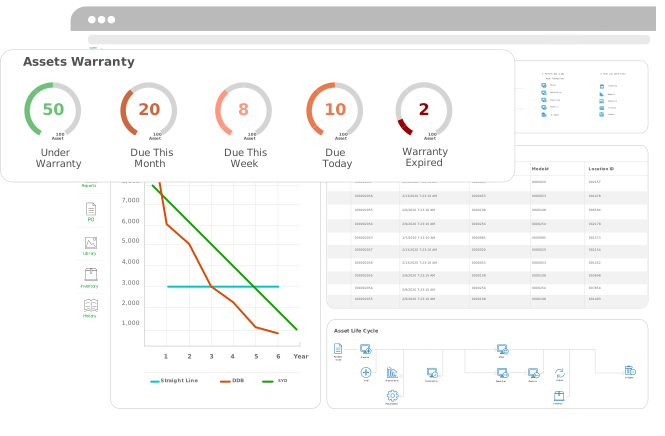
Precise measurement of an asset’s lifecycle gives businesses the information they need to maximize their asset use by tracking depreciation and day of disposal.
Reduce Human Errors
Barcode-based tracking can reduce manual data-entry errors and help improve the accuracy of equipment records.
Assets Visibility
Immediate Asset Visibility grants users instant access to vital information, such as an asset’s status, location, and data regarding its usage and value.
What type of IT Assets are out there?
Our systems are versatile, able to fit into the needs of any industry.
Here’s a few examples of IT equipment and items that our customers commonly track with our systems. If you don’t see the electronic assets you need help tracking in this list, feel free to contact our sales team to learn how we can help you!
- An Internet Modem
- A Router
- A Network Switch
- An Uninterruptible Power Supply (UPS)
- VoIP Phones
- Desktop and Notebook Computers
- Headsets
- Servers
- Telecommunications Equipment
- Monitors
- Keyboards
- Servers
- Network Hubs
- Multi-Function Printers
- External Drives
- Computers
Setting up Models for IT Assets
Create Predefined Models for Asset Acquisition
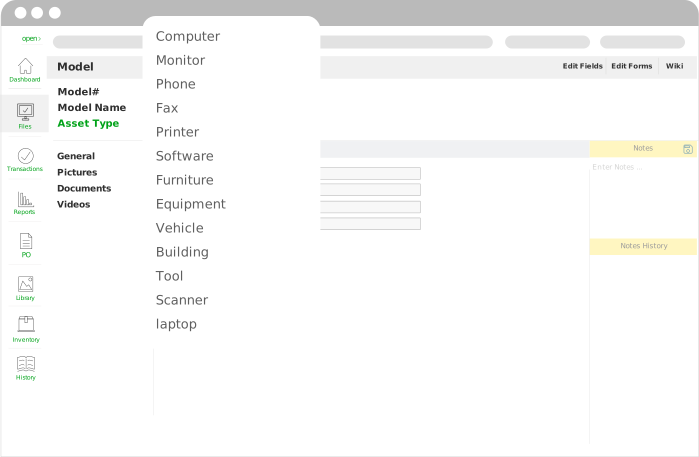
While logging important assets into the system, users can create predefined types for all your devices. This means being able to categorize a wide array of equipment very quickly. Predefined types can be used for computers, tablets, phones, printers and more. So, no matter what assets need tracking, a predefined form can be created to group your assets together in an easy and intuitive way.
Using the My Work Assets Feature
Individual Autonomy for Asset Tracking
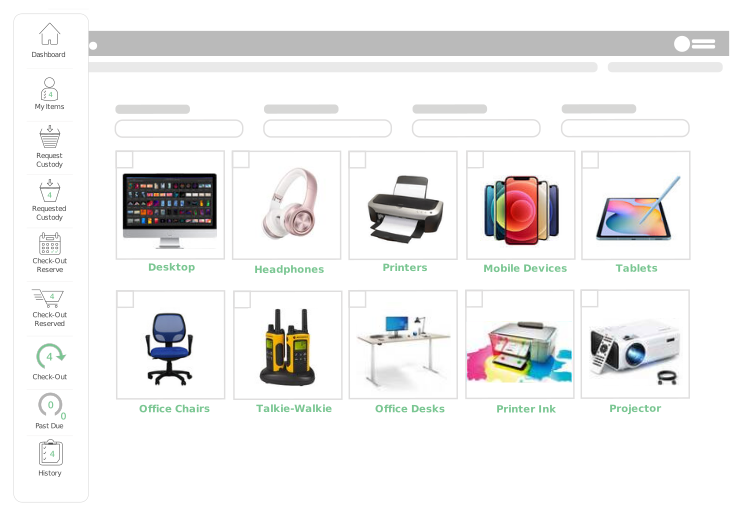
Our IT asset tracking solution also comes with the feature My Work Assets. This feature is accessible to all employees and creates an overview of assets currently assigned to them. This feature also grants staff the ability to see which assets are available to request. By requesting IT equipment through this feature, IT Departments enjoy transparent communication between departments when an asset is transferred into another’s care.
Checkout/Check in Feature
Providing Your Checkout Processes with Simplicity and Security.
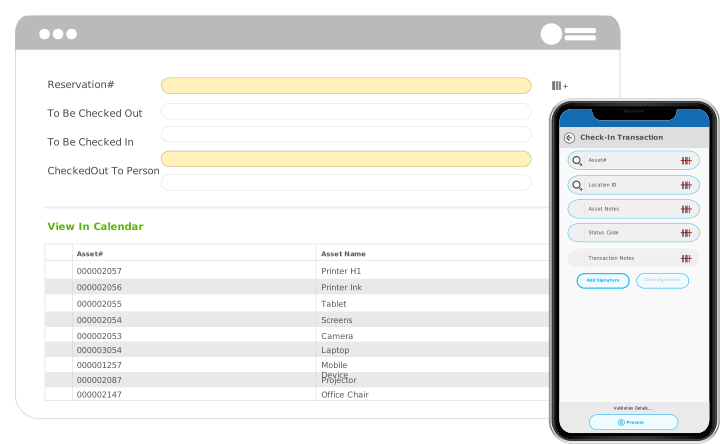
This feature is perfect for organized and visible bookkeeping when an asset is checked out or in. Along with showing an asset’s checkout status, it provides clear information on who checked it out, when, and intended item use.
Building an Audit Trail
Creating Credibility with Ease for IT Departments
Our system was designed to provide IT Departments with accessible information regarding the usage of their assets. Therefore, IT users are able to create detailed reports regarding an asset’s usage history, along with a clear overview of asset flows throughout their workplace. Best of all, the reports are highly customizable, providing over 50 fields for users to choose from.
See how this works in practice: Octo Consulting Group’s IT asset tracking case study describes how barcode tracking and centralized records supported asset accountability and onboarding.

IT Tracking for Multiple Sites
Consolidate the data for Multiple Sites with one System.
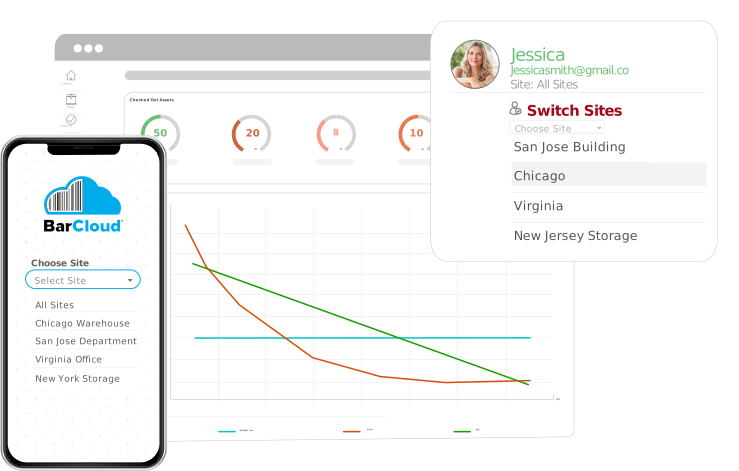
Businesses with multiple sites often overspend on entire additional systems in order to track all the assets in their organization. Not only does this substantially raise operational costs, but it easily becomes confusing and cumbersome to swap data on asset tracking between systems. Our system can help with this. By providing IT Departments with multi-site tracking, administrators are able to oversee equipment for multiple and even many jobsites, keeping your data organized and integrated.
Managing Damage and Disposal
Track Warranties and Manage the End of an Asset’s Lifecycle
In addition to supplying information on an asset’s location and history, our system also provides a dashboard for equipment warranty tracking. Using this gives a readout of warranty details, where users will be able to see a warranty’s duration, renewal due date, overdue warranty renewals, and which assets have expired warranty. This allows IT staff to monitor warranty dates and manage renewals easily.