

Asset Tags: A Step-by-Step Guide to
Tagging and Labeling Fixed Assets (With Samples)
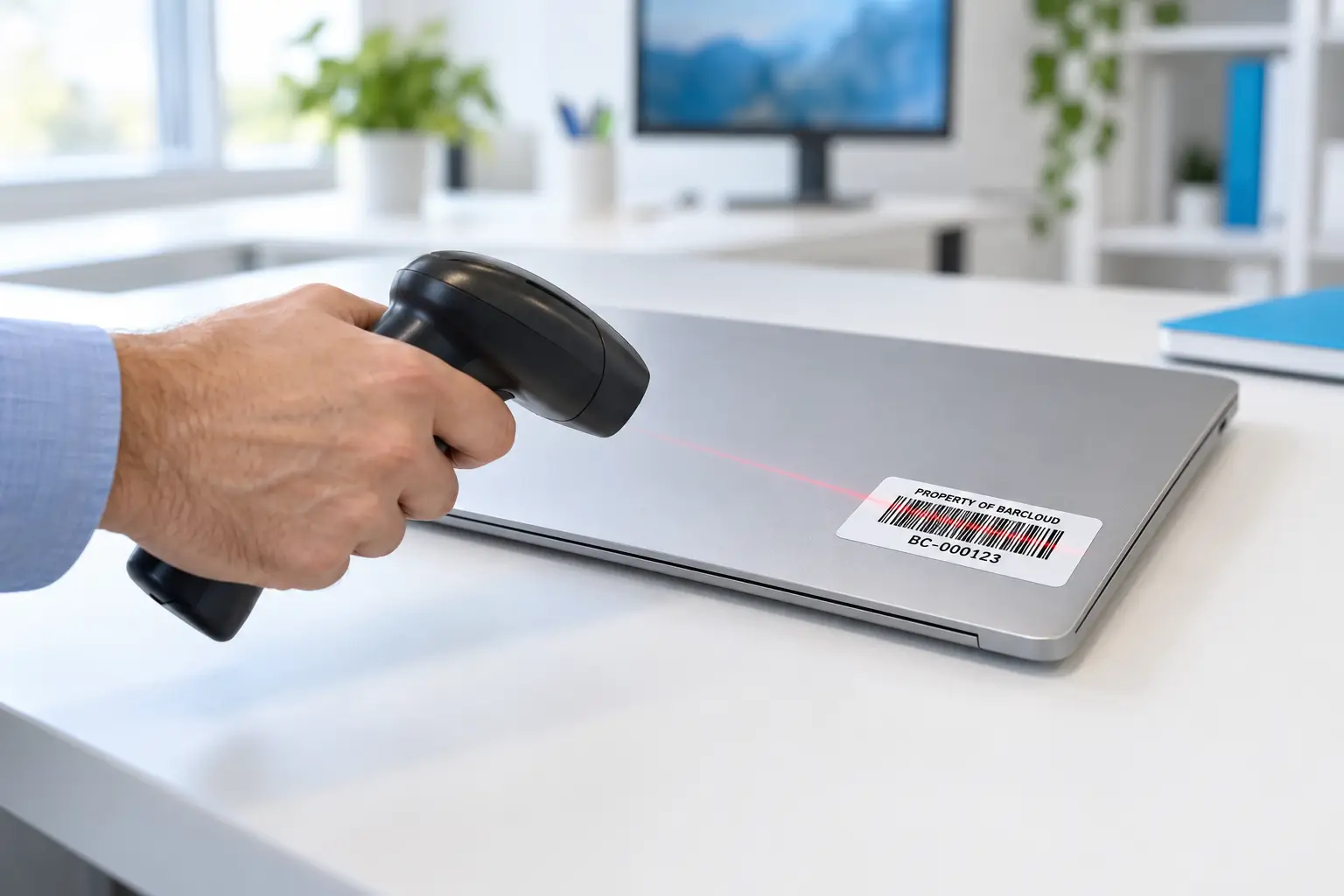
Short answerAn asset tag is a durable label carrying a unique ID as a barcode or QR code plus human-readable text. To tag assets, choose a permanent numbering scheme, match label material to the environment, print tags, place them consistently, record each item’s details against its ID, then audit by scanning.
Key takeaways
- The tag number is a permanent key. Keep it short and meaningless (for example BC-000123) and store location, department, and category as record fields.
- Material matters more than design: polypropylene for general indoor use, polyester with resin ribbon for harsh handling, anodized aluminum for outdoor or long-life assets.
- Code 128, QR, and Data Matrix all work; pick based on your scanners and the item size.
- Place tags in the same spot on every item of a type, visible and scannable without moving the item.
- Set up the asset record before you print. Define the information you need to capture for each asset first so every tag is tied to a complete, consistent record.
What is an asset tag, and what goes on it?
An asset tag is a label permanently attached to equipment that identifies it in your asset register. When someone scans it, the software pulls up the item’s record: description, serial number, location, custodian, maintenance history, and value.
Keep the tag itself minimal. Put on the tag:
- The barcode or QR code encoding the asset ID
- The same ID in human-readable text (so it can be typed if a scan fails)
- Your organization’s name, and optionally a logo
- Optional: “Property of…” and a phone number or URL for returns Leave everything else, such as cost, purchase date, assigned user, and location, in the software. Those details change; the tag doesn’t.
How should you number asset tags? (Sample formats)
Use a short fixed prefix plus a zero-padded sequential number. The ID should never need to change during the asset’s life.
| Format | Sample | Pros | Cons | Use when |
|---|---|---|---|---|
| Prefix + sequence Recommended | BC-000123 |
Never needs to change; short, easy to scan and type | The number itself tells you nothing | Almost always |
| Asset class + sequence | IT-004512, MED-000871 |
Readable at a glance; separate number ranges per class | Wrong if an item is reclassified | Classes are stable and ranges are managed centrally |
| Site + category + sequence | SJC-IT-000123 |
Shows home site and type | Becomes wrong the day the item moves; longer barcodes | Items never leave their site (for example fixed plant equipment) |
| Pre-printed sequential rolls | 000001–005000 |
Cheap and fast; no design work | No organizational prefix | Large one-time tagging projects |
| Manufacturer serial number | C02XK1ZJJG5H |
Already on the item | Formats vary; duplicates across makers; hard to read on some items | Record it as a field, don't use it as the tag ID |
Rules that save headaches: never reuse a retired number; avoid letters that look like digits (O/0, I/1) in prefixes; reserve number ranges if several sites print their own tags; and zero-pad to a fixed length so sorting works.
Barcode, QR code, or Data Matrix: which symbology should you use?
All three are widely used for asset tags. Choose based on what your scanners read, how staff will scan (phone camera or dedicated scanner), and how small the item is.
| Symbology | Type | Strengths | Watch-outs | Typical fit |
|---|---|---|---|---|
| Code 128 (ISO/IEC 15417) | 1D linear | Encodes letters and digits compactly; read by virtually every laser and imaging scanner | Needs a horizontal strip of space; scan angle matters more than with 2D codes | Desktop equipment, furniture, general IT |
| QR code (ISO/IEC 18004) | 2D matrix | Reads from any angle with a phone camera; built-in error correction; can encode a URL | Needs a roughly square area; older linear-only scanners can't read it | Mobile or 2D-imager scanning, self-service checkout, public-facing items |
| Data Matrix (ISO/IEC 16022) | 2D matrix | Very small footprint; suited to direct part marking; GS1 DataMatrix is widely used in healthcare | Needs a 2D imager or phone camera | Small tools, instruments, electronics, medical devices |
If you're unsure, Code 128 is a reliable choice. Use a 2D barcode like QR Code or Data Matrix when space is limited, since 2D barcodes can fit into a smaller area and work with phones or 2D scanners.
Which asset tag material should you choose?
Match the material to the environment and the asset’s expected life. A cheap label that peels off in a year creates more work than it saves.
| Material | Durability | Best for | Avoid for |
|---|---|---|---|
| Paper (direct thermal or thermal transfer) | Low; fades and tears | Temporary labels, shipping, short-term inventory counts | Any long-lived asset |
| Polypropylene (synthetic) | Moderate; resists moisture and tearing | General indoor equipment, office IT, shelving | High abrasion, solvents, high heat |
| Polyester (synthetic), printed with a resin ribbon | High; resists abrasion, many chemicals, and cleaning | Lab, clinical, and industrial equipment; items cleaned often | Extreme heat, long-term outdoor UV without overlaminate |
| Anodized aluminum or metal | Very high; the image is sealed into the metal | Outdoor assets, vehicles, machinery, fixed plant, decades-long assets | Curved small items, anything needing on-demand printing in-house |
| Tamper-evident (destructible vinyl or void) | Moderate; breaks apart or shows "VOID" when removed | Laptops, tablets, projectors, theft-prone electronics | Items you expect to relabel |
| Cold-temperature or freezer-rated adhesive | Varies | Lab freezers, refrigerated storage, cold-chain items | General use (costs more) |
| Autoclave or high-temperature rated | Varies | Items sterilized or exposed to high heat | General use; consider direct part marking for surgical instruments |
Always test a few labels on the real surface (textured plastic, powder-coated metal, curved housings) before you print thousands.
For in-house printing, BarCloud's scanners, printers, and labels page lists the Zebra ZD421t thermal transfer printer and two Zebra label stocks, PolyPro 3000T (polypropylene) and Z-Xtreme 4000T (polyester), along with BarCloud's Label Design Wizard for laying out tags.
How do you tag fixed assets step by step?
- Define what gets tagged. Set a threshold, for example everything capitalized, everything over a set cost, plus sensitive or theft-prone items like laptops, phones, and radios regardless of cost.
- Choose the ID format and reserve ranges. Pick a prefix and length (for example, BC- plus six digits) and assign number blocks as needed. BarCloud can also help customers order pre-printed asset tags through a third-party vendor.
- Set up the record fields in your software first (see the field list below), so data capture is consistent from the first scan.
- Choose material and symbology per asset class using the tables above; test on real surfaces.
- Print tags in batches by area, such as one room, one cart, or one station at a time, so you don’t lose track of which tags were used.
- Clean the surface and apply the tag in the standard spot for that item type (see placement rules), pressing firmly; many adhesives reach full strength after a period of dwell time.
- Reconcile against your old list. Anything on the old spreadsheet you did not find is a candidate “ghost asset”; anything you found that was not on the list needs a record.
- Set the audit schedule (cycle counts and annual physical inventory) before the project team disbands.
Where should you place asset tags?
- Be consistent by item type. For example, laptops go on the bottom near the front edge, monitors on the back upper-right, and carts on the handle side. Staff then find tags without searching.
- Make it scannable in place. Choose a spot you can scan without unplugging, lifting, or opening the item
- Avoid vents, hot surfaces, moving parts, removable covers or batteries, and spots that are frequently wiped with harsh disinfectant (unless the material is rated for it).
- Don’t cover the manufacturer’s serial number, regulatory labels, or warranty seals.
- Use a flat, smooth area where possible; wrap-around or flag labels work for cables and cylindrical items.
What data should you record for each tagged asset?
You can record a wide range of information for each tagged asset, but not every field is required for every organization. Choose the fields that fit your tracking, maintenance, financial, and compliance needs, and add more as needed.
| Field group | Fields |
|---|---|
| Identity | Asset ID (tag number), description, make, model, manufacturer serial number, photo |
| Location and custody | Site, building, room, assigned person or department, checked-out status |
| Financial | Acquisition date, cost, funding source, purchase order, depreciation method, disposal date and method |
| Condition and service | Condition, warranty end date, maintenance schedule, calibration or inspection dates |
| Compliance | Title holder, federal share (for grant-funded equipment), regulatory IDs such as a device identifier |
If you receive US federal grants, 2 CFR 200.313 requires property records that include a description, a serial number or other identification number, the funding source, who holds title, acquisition date, cost, the federal share, location, use and condition, and disposition data. It also requires a physical inventory reconciled against those records at least once every two years.
How do you audit tagged assets once they’re labeled?
Tagging turns an audit into a scanning exercise. A practical cadence is rolling cycle counts, for example one department or area per month, plus a full physical inventory each year (or at least every two years for federally funded equipment).
- Pick the area and generate the list of assets the system expects to be there.
- Walk the area and scan every tag you see.
- Review the three result buckets. In BarCloud’s asset cycle counts these are Found (expected and scanned), To Be Found (expected but not yet scanned), and Unidentified (scanned but not expected at this location).
- Resolve exceptions. Investigate missing assets and re-tag damaged labels. If an asset is found in the wrong location, BarCloud can automatically update its location in the system.
- Close the count and keep the report for your auditors.
Johnson Regional Medical Center, a 90-bed hospital in Arkansas, used this kind of search-and-scan process in BarCloud to eliminate ghost assets across more than 700 tracked items (case study). Hamblen County Department of Education used barcode tags to quickly locate equipment bought with federal funds across its schools (case study).
Frequently asked questions
What is an asset tag?
An asset tag is a durable label, usually with a barcode or QR code and a human-readable number, attached to a piece of equipment. The number is the item's unique ID in your asset register, so scanning the tag pulls up its record: description, serial number, location, custodian, and history.
What is a good asset tag numbering format?
Use a short fixed prefix plus a zero-padded sequential number, such as BC-000123. Keep the ID permanent and meaningless: store location, category, and department as fields in the record rather than inside the number, because those facts change while the tag stays on the item.
What information should be on an asset tag?
The barcode or QR code, the same ID in human-readable text, and your organization's name. Optional items are a short property-of statement, a phone number or URL for returns, and a logo. Everything else, such as serial number, cost, and location, belongs in the software record.
Should I use barcodes or QR codes for asset tags?
Code 128 barcodes are compact, widely supported by every scanner, and ideal for simple numeric or alphanumeric IDs. QR codes scan easily with phone cameras from any angle and can hold a URL. Data Matrix fits very small items. Any of them works if your scanners and app support it.
What asset tag material should I use?
Use paper only for short-term indoor labels, polypropylene for general indoor equipment, polyester printed with a resin ribbon for durable labels exposed to handling or cleaning chemicals, and anodized aluminum for outdoor, high-heat, or long-life fixed assets. Add tamper-evident material for theft-prone items like laptops.
How often should tagged assets be audited?
Most organizations run rolling cycle counts through the year and a full physical inventory annually. Recipients of US federal awards must physically inventory equipment bought with federal funds at least once every two years under 2 CFR 200.313.
Sources
- 2 CFR 200.313, Equipment (Uniform Guidance), Electronic Code of Federal Regulations
- GS1, barcode standards overview
- Symbology standards: ISO/IEC 15417 (Code 128), ISO/IEC 18004 (QR Code), ISO/IEC 16022 (Data Matrix), available from iso.org
- BarCloud, scanners, printers and labels
- BarCloud, asset tracking
- Case study: Johnson Regional Medical Center
- Case study: Hamblen County Department of Education
Planning a tagging project?
BarCloud's asset tracking system includes label design, mobile scanning on iOS and Android, and cycle counts.
How can we help?
Quick actions to find your perfect inventory system.
How can we help?
Quick actions to find your perfect inventory system.
Download the 2026 Comparison Guide
Get the full feature-by-feature breakdown — pricing, integrations, and ratings included.
Schedule a Free Consultation
An inventory expert will guide you through your options based on your specific needs.
Get a Demo & Free Trial
See how BarCloud's inventory system fits your business — book a personalized walkthrough.
Request a Quote
Tell us about your business and we'll send pricing tailored to your inventory needs.
Your download is starting…
If it doesn't begin automatically, click below.
Download PDFThanks — we'll be in touch.
A BarCloud specialist will reach out within one business day.