


School District Asset Tracking for Federally Funded Equipment:
A 2 CFR 200.313 Compliance Guide
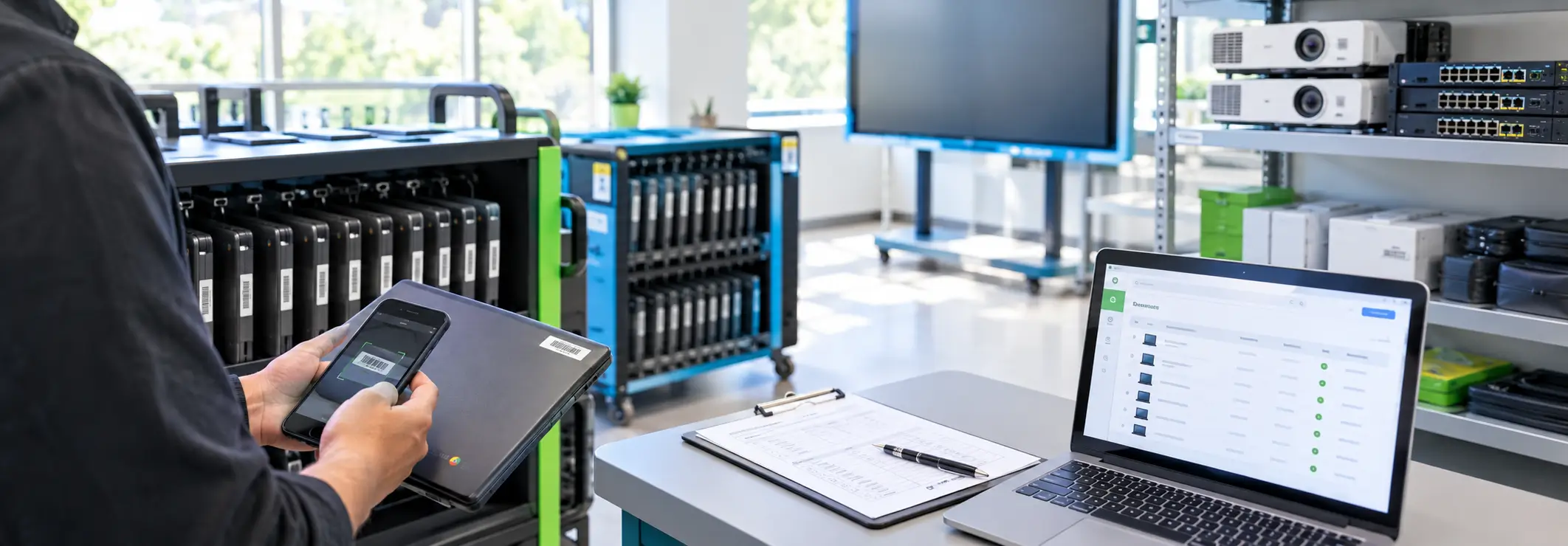
Short answerEquipment bought with federal grant money falls under 2 CFR 200.313. Each item needs a property record: description, ID or serial number, funding source and FAIN, cost, federal share, location, condition and disposition data. Schools must physically count it at least every two years, reconcile the count to the records, and keep controls against loss and theft.
Key takeaways
- 2 CFR 200.313(d) sets five management requirements for federally funded equipment: complete property records, a physical inventory every two years, a loss-prevention control system, regular maintenance, and proper sales procedures.
- Since the 2024 Uniform Guidance revision (effective October 1, 2024), “equipment” means items costing at least the lesser of your capitalization level or $10,000 per unit. The previous figure was $5,000.
- Tag every record with its funding source and FAIN when the item is received. Recovering that information later, during an audit, is much harder.
- Most student laptops fall below the threshold, but districts track them anyway because they are the items most likely to go missing.
- A barcode-based asset system turns the biennial inventory into a scan-and-reconcile exercise instead of a spreadsheet hunt.
What does 2 CFR 200.313 require schools to do with federally funded equipment?
It requires you to know what you bought, where it is, what condition it is in, and what happened to it at the end of its life, and to prove all of that with records. The Uniform Guidance (2 CFR Part 200) applies to K-12 districts and colleges that receive federal awards, directly or as subrecipients through a state education agency. Section 200.313(d) says the recipient “must manage equipment (including replacement equipment) utilizing procedures that meet the following requirements”:
- Property records “must include a description of the property, a serial number or another identification number, the source of funding for the property (including the FAIN), the title holder, the acquisition date, the cost of the property, the percentage of the Federal agency contribution towards the original purchase, the location, use and condition of the property, and any disposition data including the date of disposal and sale price of the property.”
- Physical inventory: “A physical inventory of the property must be conducted, and the results must be reconciled with the property records at least once every two years.”
- Control system: “A control system must be in place to ensure safeguards for preventing property loss, damage, or theft. Any loss, damage, or theft of equipment must be investigated.”
- Maintenance: “Regular maintenance procedures must be in place to ensure the property is in proper working condition.”
- Sales: if you are authorized to sell the property, “proper sales procedures must be in place to ensure the highest possible return.”
One nuance: paragraph (b) says states manage equipment under their own state laws and procedures. Districts and colleges that receive funds through a state as subrecipients follow paragraphs (c) through (e). Most school districts are in that second group. Your state education agency may also add its own inventory rules on top.
What counts as “equipment” under the current Uniform Guidance?
Under 2 CFR 200.1, equipment is “tangible personal property (including information technology systems) having a useful life of more than one year and a per-unit acquisition cost that equals or exceeds the lesser of the capitalization level established by the recipient or subrecipient for financial statement purposes, or $10,000.”
The $10,000 ceiling is new. The Office of Management and Budget’s 2024 revision of the Uniform Guidance (89 FR 30046, published April 22, 2024) took effect October 1, 2024, and raised the threshold from the long-standing $5,000. Two consequences for schools:
- Your capitalization policy may now set the threshold. If your board policy capitalizes items at $5,000, your threshold is still $5,000 because the rule uses the lesser of the two.
- Older awards may carry the older threshold. The terms of the specific award govern, so check each grant’s terms and conditions before you reclassify anything.
Items under the threshold, such as most Chromebooks, projectors and document cameras, are not “equipment” under 200.313. Districts still track them for three practical reasons. They are the items most often lost or stolen. State or local policy frequently requires tracking of “sensitive” or “theft-prone” items. And auditors reviewing a federal program will ask how you safeguarded everything bought with its money, not just items over $10,000.
Which fields should every school property record include?
Build your asset record template around the regulation’s list, then add the operational fields that make counting and check-out work. The table maps each required element to how you would capture it in an asset tracking system.
| Required by 200.313(d)(1) | Field to create | How to capture it |
|---|---|---|
| Description | Asset model + description | Pick from a model list (e.g., “Interactive display, 75-inch”) so descriptions are consistent across campuses |
| Serial or other ID number | Serial number + asset tag number | Scan the manufacturer barcode for the serial; apply a district barcode tag for the asset number |
| Source of funding (including FAIN) | Funding source, grant program, FAIN | Required picklist at receiving: Title I, IDEA, E-Rate, ESSER, local, etc., plus the FAIN from the award notice |
| Title holder | Title holder | Default to the district; override for items where title stays with the federal agency or pass-through entity |
| Acquisition date | Received date | Stamped automatically when the item is received against the PO |
| Cost | Unit acquisition cost | From the purchase order line, per unit, not per order |
| % federal contribution | Federal share % | From the award budget; needed later to calculate the federal share at disposition |
| Location | Site, building, room | Scan a room barcode when placing or moving the item |
| Use | Program / assigned to | Program name, or the staff member or student it is checked out to |
| Condition | Condition code | Updated at every check-in and every inventory count |
| Disposition data | Disposal date, method, sale price | Recorded when the item is disposed, never by deleting the record |
Tip: never delete a disposed asset. Change its status to “Disposed” and keep the record. Auditors look for the disposition trail, and 2 CFR 200.334 generally requires records to be kept for three years from the date of the final financial report, with exceptions.
How do you tag assets by funding source so audits are easy?
Capture the funding source when the item is received, not afterwards. Once a device is on a cart in a classroom, nobody remembers which grant paid for it. A workable pattern:
- Require a funding source and FAIN on every purchase order line that uses federal money.
- When items arrive, receive them against the PO in your asset system so cost, date and funding source copy onto each asset automatically.
- Print and apply asset tags at receiving, before items leave the warehouse or tech office.
- Run a monthly “missing funding source” report and fix the gaps while the paperwork is still fresh.
BarCloud has written about this workflow in more depth in Funding source tracking for schools. The goal is to answer “show me everything bought with this grant, and where it is today” with one report.
How do you run the biennial physical inventory, step by step?
The regulation requires a count and a reconciliation. Counting the items is not enough; you also have to explain every difference between what you counted and what your records say. Here is a procedure that works for multi-campus districts.
- Freeze the baseline. Export the current property records by site and room. Tell sites that moves and disposals are paused during the count window, or that they must be scanned when they happen.
- Assign counters by room. Give each counter a room list and a scanner or phone with the mobile app. Counting room by room makes “not found” meaningful.
- Scan everything physically present, including items with no tag. Untagged items go on an “unidentified” list for follow-up. They are often grant purchases that were never received properly.
- Reconcile three lists: found where expected; found somewhere else (update the location); not found. Asset systems with cycle-count features produce these lists automatically. BarCloud labels them Found, To Be Found and Unidentified.
- Investigate every “not found”. Check checkout records, repair logs and disposal paperwork. 200.313(d)(3) requires loss, damage or theft to be investigated, and reported to the federal agency or pass-through entity if it affects the program.
- Update conditions during the count, which also supports the maintenance requirement in (d)(4).
- Sign off and archive. Save the dated reconciliation report, the not-found investigation notes and the approver’s sign-off. This package is what you hand an auditor.
Districts that count high-risk items such as laptops, tablets and AV equipment every year find the biennial count much smaller. By the time it comes around, most discrepancies have already been cleared.
How should districts handle 1:1 laptop check-out at the start and end of the year?
Treat each student device like a library book: one scan to assign it, one scan to return it, and a condition note both times. A practical workflow:
- Before the year: tag each device and charger (a charger is often a separate, frequently lost item), and import the student roster so devices can be assigned by name or ID.
- Distribution day: scan the student ID, then the device. Record the condition and, if your policy requires it, capture the parent or student signature.
- During the year: log repairs and loaner swaps as check-ins and check-outs so the history stays complete.
- Collection day: scan returns, record the condition and run a “still checked out” report before students leave for summer.
The Okanogan School District in Washington moved from handwritten laptop check-out sheets to mobile check-out and check-in, and could track devices from anywhere without buying extra hardware (case study).
Is a spreadsheet good enough, or do schools need asset tracking software?
The regulation does not require software. A spreadsheet can hold every field in the checklist above. The problems show up in the other four requirements:
| Requirement | Spreadsheet | Barcode asset system |
|---|---|---|
| Complete property records | Possible, but fields drift and copies multiply across campuses | Required fields enforced at receiving |
| Biennial count + reconciliation | Manual matching of printed lists | Scan rooms; found / not found lists generated automatically |
| Control system / investigation | No record of who moved or changed what | Transaction history for each asset (check-out, move, repair, dispose) |
| Maintenance | Separate tracker, if any | Maintenance schedules and logs attached to the asset |
| Disposition | Rows get deleted | Disposed status keeps the record and the sale data |
Hamblen County Department of Education in Morristown, Tennessee, which serves more than 10,000 students, reached the same conclusion. The district tracked computers and network equipment across schools in several spreadsheets and outdated software. Its representative described the requirement plainly: “Our need is being able to locate all equipment purchased with federal funding monies quickly and accurately.” After moving to a barcode-based system with configurable reporting and check-out, the district described it as “a huge time saver for us as we are able to use one point for data entry and reporting” (case study). Richland School District 2 in South Carolina made a similar move away from spreadsheets that were producing ghost assets and no audit trail (case study).
What should a school look for in asset management software?
- Custom fields for funding source, FAIN and federal share, so the 200.313 fields are first-class data, not notes.
- Check-out/check-in with due dates for student and staff devices.
- Cycle counts by room with found, not-found and unidentified results.
- Phone-based scanning, so every campus does not need dedicated scanners.
- Multi-site permissions, so each campus sees its own assets and the district office sees everything.
- Maintenance logs and a disposal status that keeps history.
- Directory integration (Active Directory or Google Workspace) so staff and student lists stay current.
BarCloud’s asset tracking system includes check-out/check-in with reservations and email/SMS alerts, cycle counts, maintenance tracking, depreciation, and iOS and Android apps that use the phone camera as a scanner. Active Directory and Google Workspace integrations are included on the Standard and Professional plans. See how districts use it on the education page.
Frequently asked questions
How often do schools have to inventory equipment bought with federal funds?
Under 2 CFR 200.313(d)(2), a physical inventory must be conducted and reconciled with the property records at least once every two years. Many districts count annually, or count high-risk items such as student laptops every year, because it makes the biennial reconciliation easier.
What is the federal equipment threshold for schools?
Under 2 CFR 200.1, equipment is tangible personal property with a useful life of more than one year and a per-unit acquisition cost that equals or exceeds the lesser of your capitalization level or $10,000. The $10,000 figure came from the 2024 Uniform Guidance revision (89 FR 30046), effective October 1, 2024; the earlier figure was $5,000. Check your award terms and state rules, which can set lower thresholds.
Do Chromebooks and student laptops count as equipment under 2 CFR 200.313?
Usually not individually, because a single laptop costs less than the equipment threshold. Computing devices below the threshold are not equipment under 2 CFR 200.1, but most districts still tag and track them because they are theft-prone, are often bought with federal or state program funds, and state or local policy may require it.
What fields must a federal property record include?
2 CFR 200.313(d)(1) lists a description, a serial number or other identification number, the source of funding including the FAIN, the title holder, the acquisition date, the cost, the percentage of federal contribution, the location, use and condition, and disposition data including disposal date and sale price.
Can a school district use spreadsheets for federal equipment records?
The regulation does not mandate specific software, so a spreadsheet can technically hold the required fields. In practice spreadsheets break down at the biennial reconciliation step and the control-system requirement, because they do not record who changed what, when an item moved, or which items were not found during a count.
What happens to federally funded equipment when it is no longer needed?
Under 2 CFR 200.313(e), equipment with a current fair market value of $10,000 or less per unit may be retained, sold, or otherwise disposed of with no further responsibility to the federal agency. Above that value, the federal agency is entitled to its percentage share of the current market value or sale proceeds, and you may need to request disposition instructions.
How should I dispose of old laptops safely?
Sanitize storage media using a method matched to data sensitivity, following NIST SP 800-88 Rev. 2 (Guidelines for Media Sanitization, September 2025), record the sanitization and disposal in the asset record, and keep the certificate from any ITAD vendor.
Sources
- eCFR, 2 CFR 200.313 Equipment
- eCFR, 2 CFR 200.1 Definitions (equipment, computing devices, information technology systems)
- Federal Register, Guidance for Federal Financial Assistance, 89 FR 30046 (April 22, 2024; effective October 1, 2024)
- BarCloud, Hamblen County Department of Education case study
- BarCloud, Okanogan School District case study
- BarCloud, Richland School District 2 case study
- BarCloud, Funding source tracking for schools
This article is general information, not legal or audit advice. Always follow the terms of your specific federal award and your state education agency’s guidance.
Preparing for a federal program audit?
BarCloud helps districts tag assets by funding source, run room-by-room counts from a phone, and produce reconciliation reports.
How can we help?
Quick actions to find your perfect inventory system.
How can we help?
Quick actions to find your perfect inventory system.
Download the 2026 Comparison Guide
Get the full feature-by-feature breakdown — pricing, integrations, and ratings included.
Schedule a Free Consultation
An inventory expert will guide you through your options based on your specific needs.
Get a Demo & Free Trial
See how BarCloud's inventory system fits your business — book a personalized walkthrough.
Request a Quote
Tell us about your business and we'll send pricing tailored to your inventory needs.
Your download is starting…
If it doesn't begin automatically, click below.
Download PDFThanks — we'll be in touch.
A BarCloud specialist will reach out within one business day.