


QuickBooks Integration for Inventory Control
Sync inventory data with QuickBooks to reduce duplicate entry
Connect BarCloud with QuickBooks to streamline inventory control and support inventory tracking workflows—so your team can track items accurately while keeping records up to date automatically.

Inventory Management Software That Integrates With QuickBooks
Keep inventory records aligned across systems
QuickBooks is widely used for financial recordkeeping, but many teams outgrow its built-in inventory features when they need more accurate tracking, barcode scanning, multi-location inventory, or stronger inventory visibility.
BarCloud Inventory System integrates with QuickBooks so you can manage inventory in a dedicated system while keeping your records clean and consistent across systems.
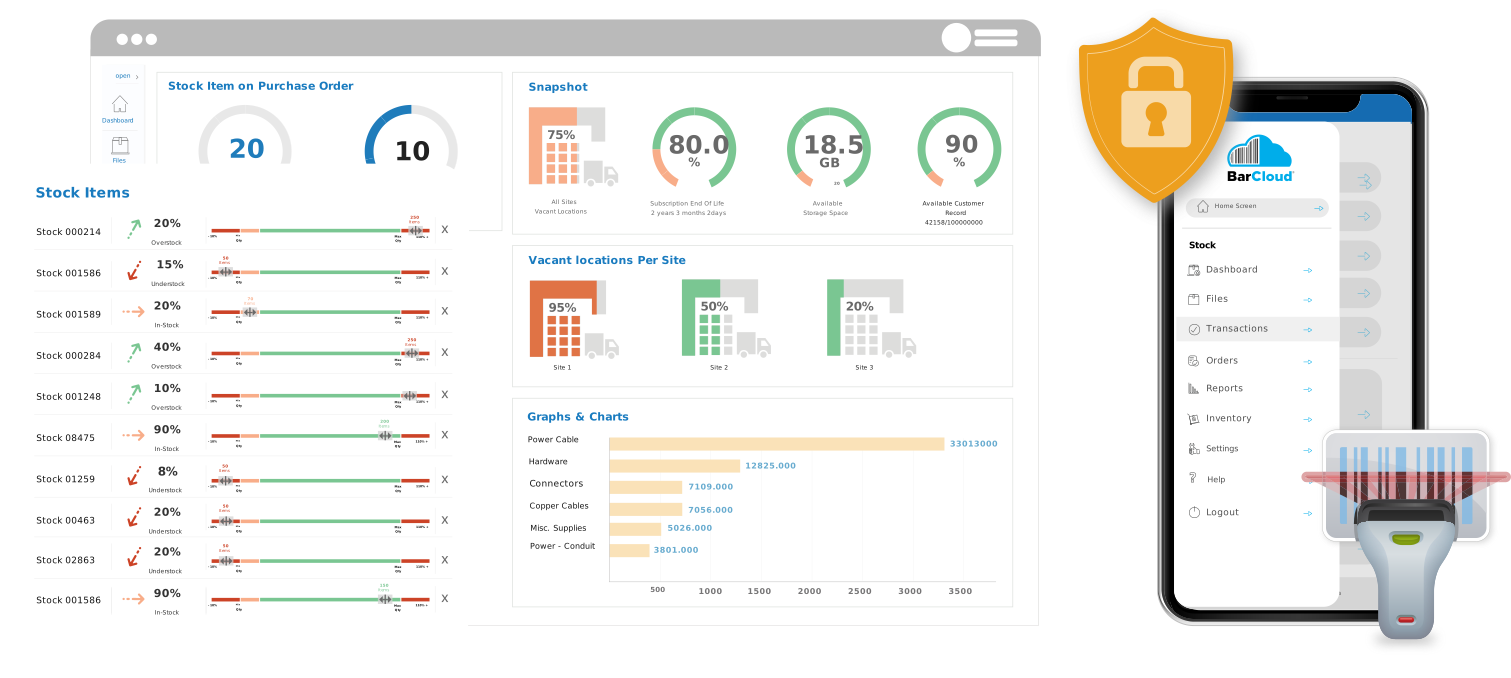
QuickBooks Integration Summary
What you can do with the BarCloud + QuickBooks integration
Our integration is built for teams who want inventory accuracy and workflow control without creating more duplicate manual entry.
Integration highlights include:
- Sync inventory-related data between BarCloud and QuickBooks
- Reduce repetitive manual entry and duplicate records
- Automatically reflect inventory transaction activity in QuickBooks
- Enable or disable integration features based on how your organization works
(Note: integration capabilities may vary depending on QuickBooks version and configuration.)
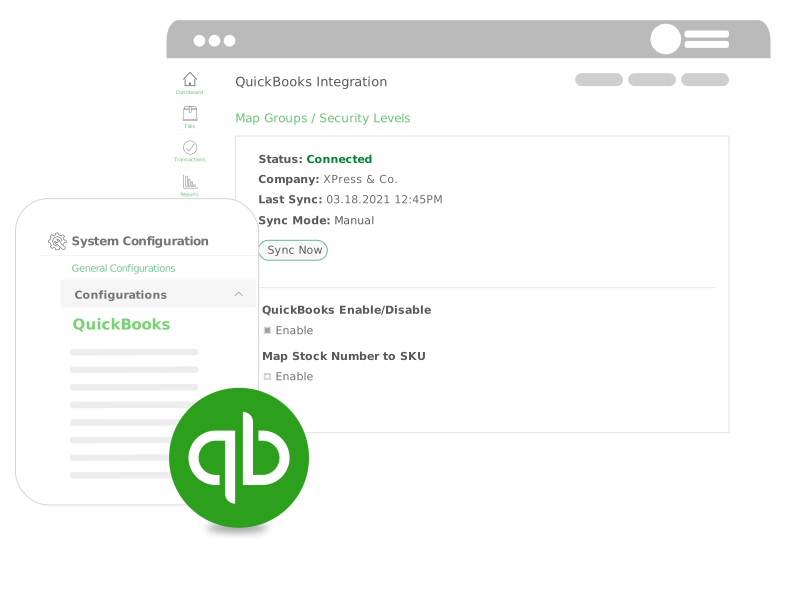
Integrating QuickBooks with Inventory Management Software
Sync inventory data in a few clicks to simplify inventory workflows
Instead of updating inventory in one system and records in another, BarCloud allows you to sync essential records between your inventory and QuickBooks environment. This supports cleaner reporting, fewer errors, and less time wasted on repetitive entry—especially for purchasing, issuing, receiving, and adjustment workflows.
If you use QuickBooks Online (QBO), our integration helps ensure QuickBooks stays aligned while your inventory operations run through BarCloud
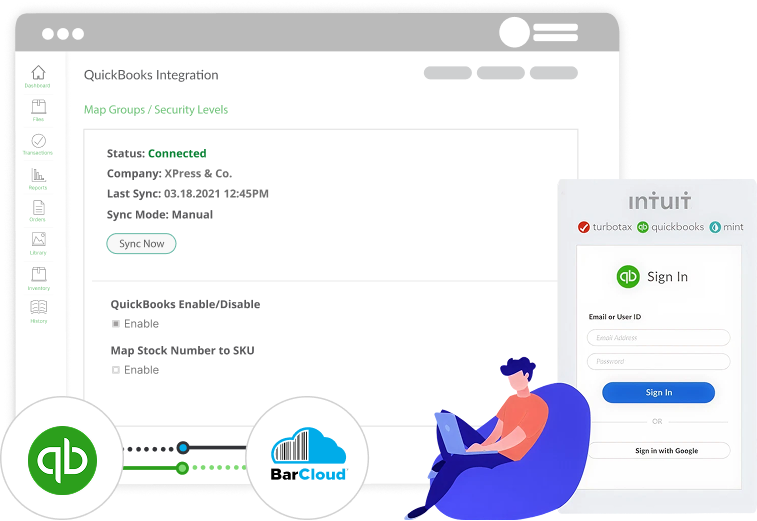
QuickBooks Integration Features
Tools designed to make inventory + operational workflows smoother
The BarCloud QuickBooks integration includes features that streamline data sync and support accurate recordkeeping. Use these tools to avoid entering the same information twice, reduce human error, and improve visibility between departments.
Data Sync Between BarCloud & QuickBooks
Sync key business records between your QuickBooks account and BarCloud, such as Vendors, Customers, Item data, Purchase Orders, and Sales Orders.
Journal Entry Creation
Automatically create journal entries in QuickBooks based on inventory activity in BarCloud, including transactions such as Inventory Adjust and Dispose.
Create QuickBooks Records Through BarCloud
Generate or create records in QuickBooks directly through BarCloud workflows, including Vendors, Stock items, Purchase Orders, Sales Orders, Bills, Sales receipts / invoices, and more depending on configuration.
Other Integrations
Connect BarCloud with the tools your team already uses
In addition to QuickBooks, BarCloud integrates with other popular platforms for authentication, storage, and productivity.
FAQs
What is the best inventory management system that integrates with QuickBooks Online (QBO)?
The best inventory management system for QuickBooks Online depends on your workflow—especially whether you need barcode scanning, multi-location inventory, reorder points, or approvals. BarCloud is a strong option for businesses that want dedicated inventory control while keeping QuickBooks Online.
What is the best inventory software to use with QuickBooks?
Many teams use a separate inventory system alongside QuickBooks to avoid limitations in QuickBooks inventory. BarCloud is designed to work with QuickBooks by syncing key records while providing stronger inventory controls like barcode scanning, tracking, and reporting.
What inventory system works with QuickBooks Online?
Several inventory systems integrate with QuickBooks Online, but the best one depends on the features you need (barcode scanning, multi-location, purchasing workflows, etc.). BarCloud integrates with QuickBooks Online to help teams keep inventory operations accurate.
What inventory management software integrates with QuickBooks?
Inventory management software that integrates with QuickBooks typically syncs item data, vendors, customers, and purchasing/sales workflows to reduce duplicate entry. BarCloud supports QuickBooks integration so teams can manage inventory in a dedicated system while keeping QuickBooks aligned.
Does BarCloud integrate with QuickBooks Online (QBO)?
Yes—BarCloud integrates with QuickBooks Online to support inventory workflows through synced data. Specific features can vary depending on configuration and QuickBooks version.
What data syncs between BarCloud and QuickBooks?
Common synced data includes item data, vendors, customers, purchase orders, and sales orders. Your team can enable or disable integration features depending on your workflows.
Can BarCloud automatically create journal entries in QuickBooks?
Yes. The integration supports automated journal entry creation in QuickBooks for certain inventory transactions such as inventory adjustments and disposals.
Do I have to sync everything?
No. The integration can be configured so that only the specific data and features you want are enabled—allowing teams to avoid unnecessary records or duplicate workflows.
Does BarCloud replace QuickBooks inventory?
BarCloud is designed to manage inventory operations in a dedicated inventory system while QuickBooks remains connected for synced records and workflows. This approach is popular with teams who need stronger inventory controls than QuickBooks provides.
How hard is setup?
Setup is straightforward and typically involves configuring how data syncs between systems and confirming which features you want enabled. Our team can walk you through it during a demo.

See How BarCloud + QuickBooks Can Work for You
Schedule a demo to see the QuickBooks integration in action
In your demo, we’ll show you how the BarCloud + QuickBooks integration works, what records can sync, how journal entry creation works, and how teams use BarCloud to improve inventory accuracy while keeping QuickBooks clean.