


Built for Business Asset Check-Out and Scheduled Use
Prepare business assets for check-out by controlling availability and reservation timing
The Reservations feature is offered as part of the overall Asset Check-Out Check-In workflow, making our Asset Management Software a holistic solution for managing shared, company-owned items. With Reservations, users can view and request reservations for fixed business assets such as laptops, desktop computers, cell phones, walkie-talkies, radios, tools, safety gear, uniforms, and other department-issued items. Reservations can be checked out immediately after approval or scheduled for future use.
Each business asset’s location and assignment are tracked in a single system, allowing teams to see where items are stored, who they are issued to, and when they are expected back. This reduces administrative work and supports both shared internal assets and controlled temporary asset loans.
Multi-View Asset Reservation Tracking
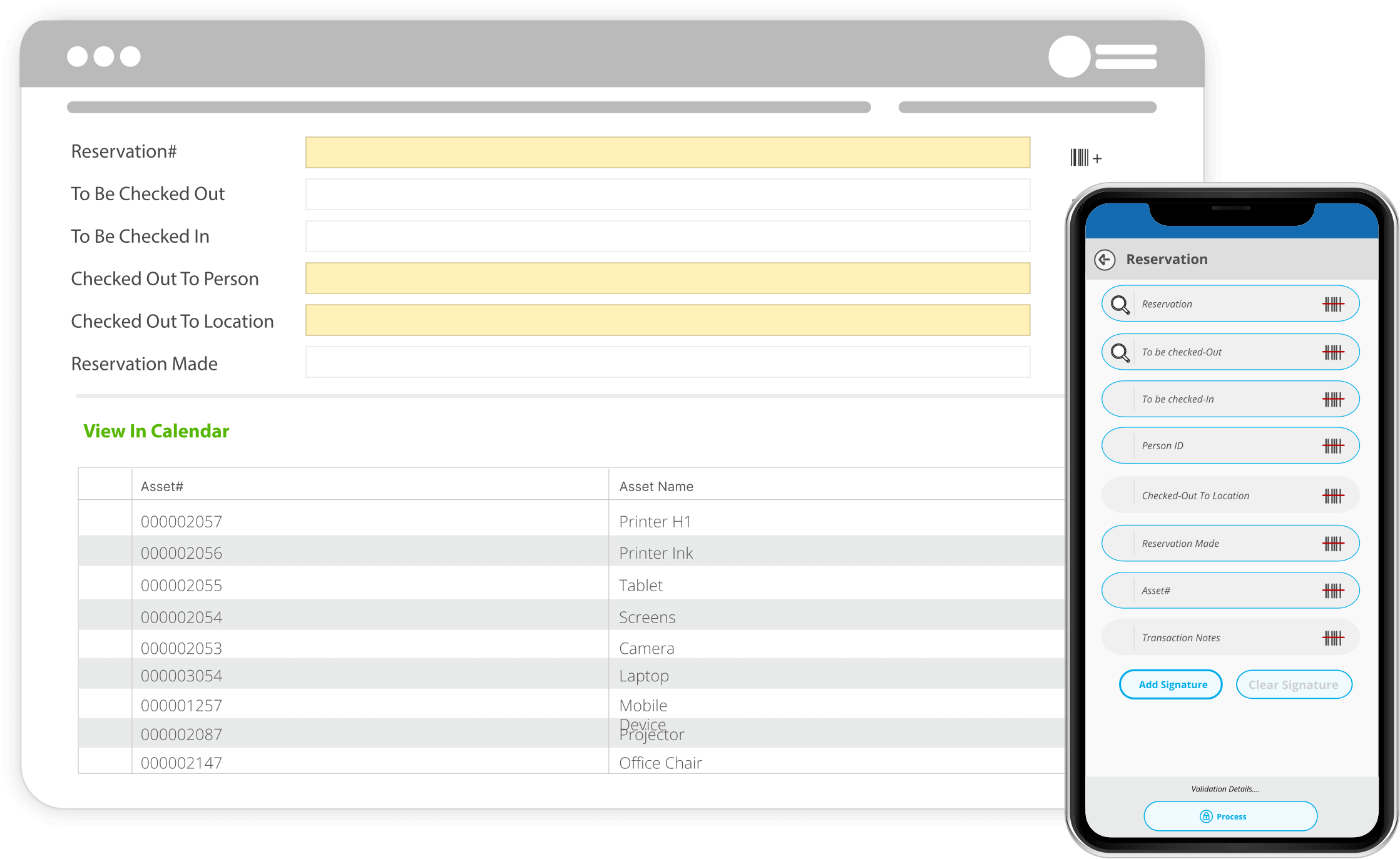
BarCloud makes it easy to see exactly what’s available and what’s reserved. Users can filter items by status or switch to a reservation-focused view that displays all upcoming bookings.
For deeper clarity, the system also offers a calendar view—complete with day and hour formats—so teams can visually understand when items are in use and when they’ll be available again.
View Your Items on a Calendar
Making sure you don’t bump into conflicting reservations
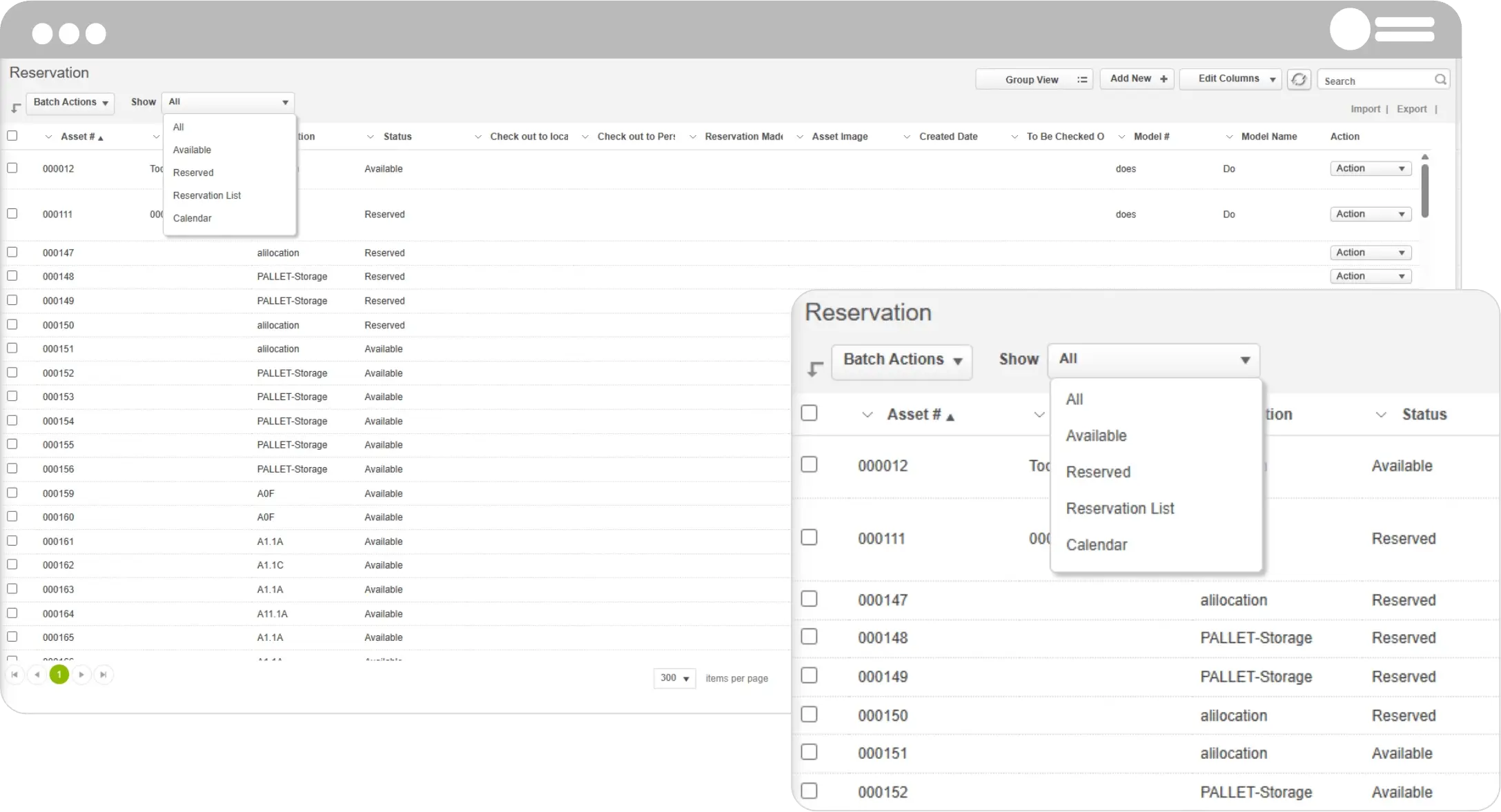
We designed our Business Asset Tracking Software to present the existing reservations for a selected item in a calendar view. This makes it easier to manage reservations with intuitive visual representation of reservation dates that might be confusing otherwise.
Now, users with appropriate access can clearly see if a requested time period overlaps with another reservation. This also applies to the requestor as they would be able to select the desired time period on a calendar view as well.
A Faster, Smarter Way to Manage Every Reservation
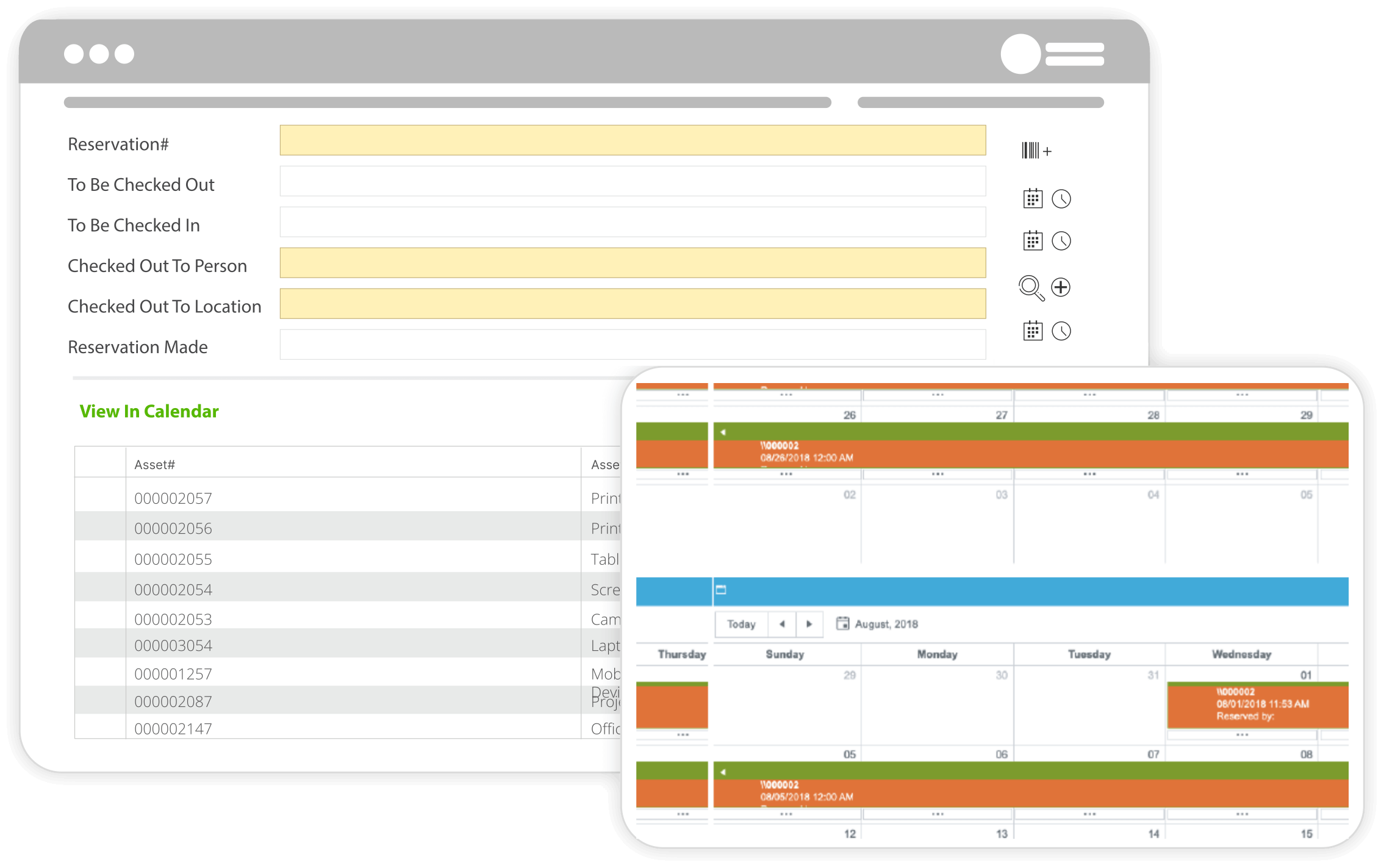
BarCloud streamlines the entire reservation workflow—from selecting items to preventing conflicts and completing checkouts—so teams stay organized, and operations run effortlessly.
Intelligent Item Selection
Quickly add items to a reservation using barcode scanning, searching, filtering, or multi-select tools. Whether you’re working with fixed assets or stocked inventory, BarCloud ensures you can find what you need without slowing down operations.
Inventory Quantity Control
For stock-based reservations, users can reserve exactly the required quantity. This ensures accurate planning and prevents shortages across high-demand items.
Automatic Conflict Prevention
Before a reservation is finalized, BarCloud automatically checks for overlapping bookings. If a conflict exists, BarCloud displays a pop-up message, so users can resolve overlapping bookings and maintain accurate schedules.
Seamless Checkout Conversion
When it’s time to pick up reserved items, BarCloud auto-fills the checkout form with all reservation details. This makes the process fast, accurate, and consistent across teams.
How does this benefit your organization?
Learn how we want to help streamline your workflows
Intuitive and User-Friendly
Our calendar view makes the Reservations feature easy to navigate and has a short learning curve, allowing your employees to easily adopt this as part of their standard workflows.
Consistent Alerts
At every stage of the reservation approval process, our system automates alerts sent via text messages or email on the progress of your requests.
Fully Configurable
Administrators can customize the Reservations process to fit any organizational requirements necessary.
Fast, Flexible Equipment Reservation Creation
Reservation numbers can be automatically generated or customized, while date and time selections allow for precise scheduling of business assets such as laptops, desktop computers, monitors, tablets, cell phones, network devices, and other company-issued equipment.
Depending on your workflow, reservations can be checked out to a person, a department, or a physical location, with administrators deciding which options each user sees.

Better Security with Role-Based Access
Configurable user profiles for your satisfaction
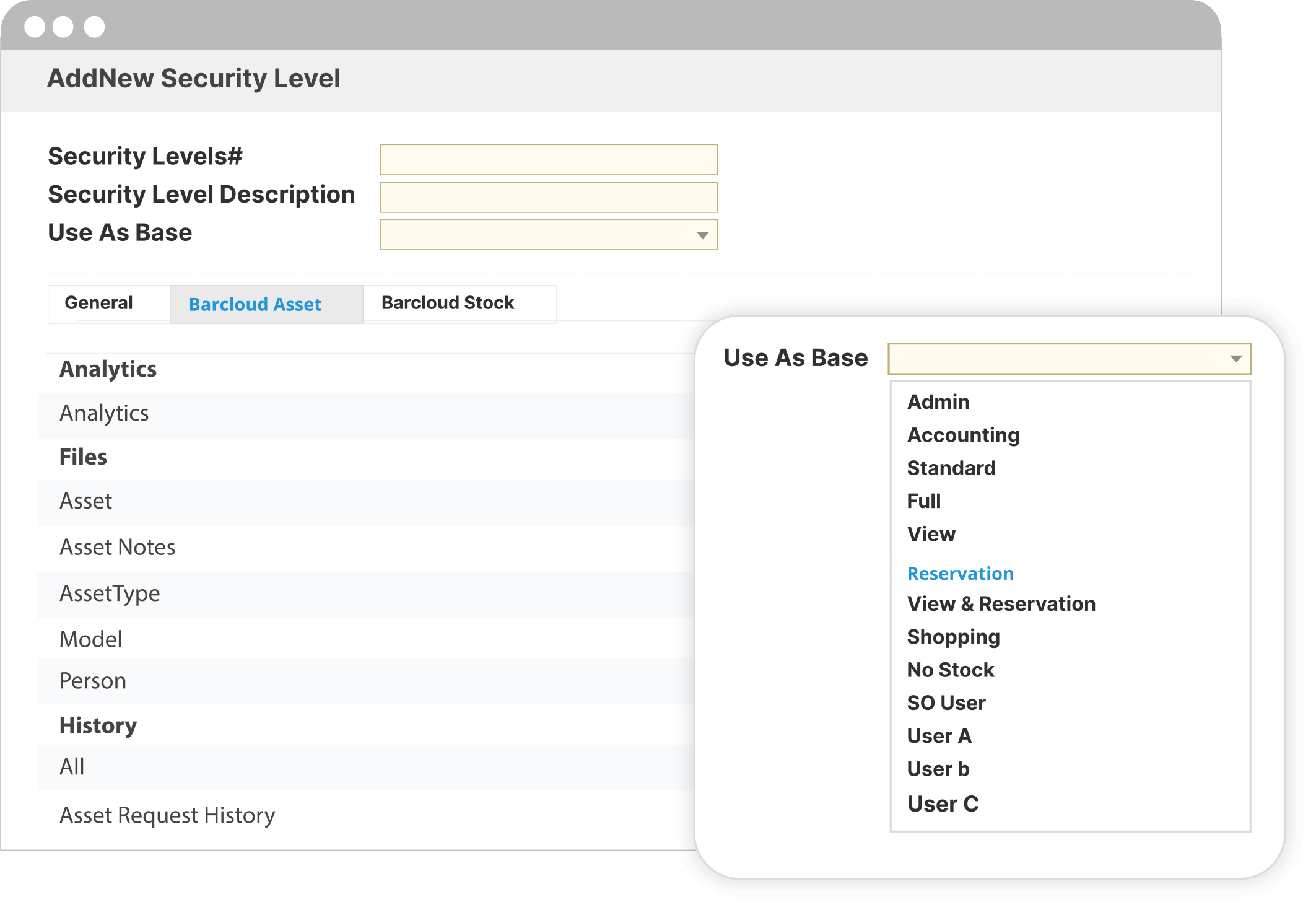
To make sure that your assets never fall into the wrong hands, our systems implement role-based access to the Reservations feature.
- All Employee / Non-System Users
- View Only Users
- Department Managers
- Concurrent System Users
- System Administrator
Set Up Alerts However You Want
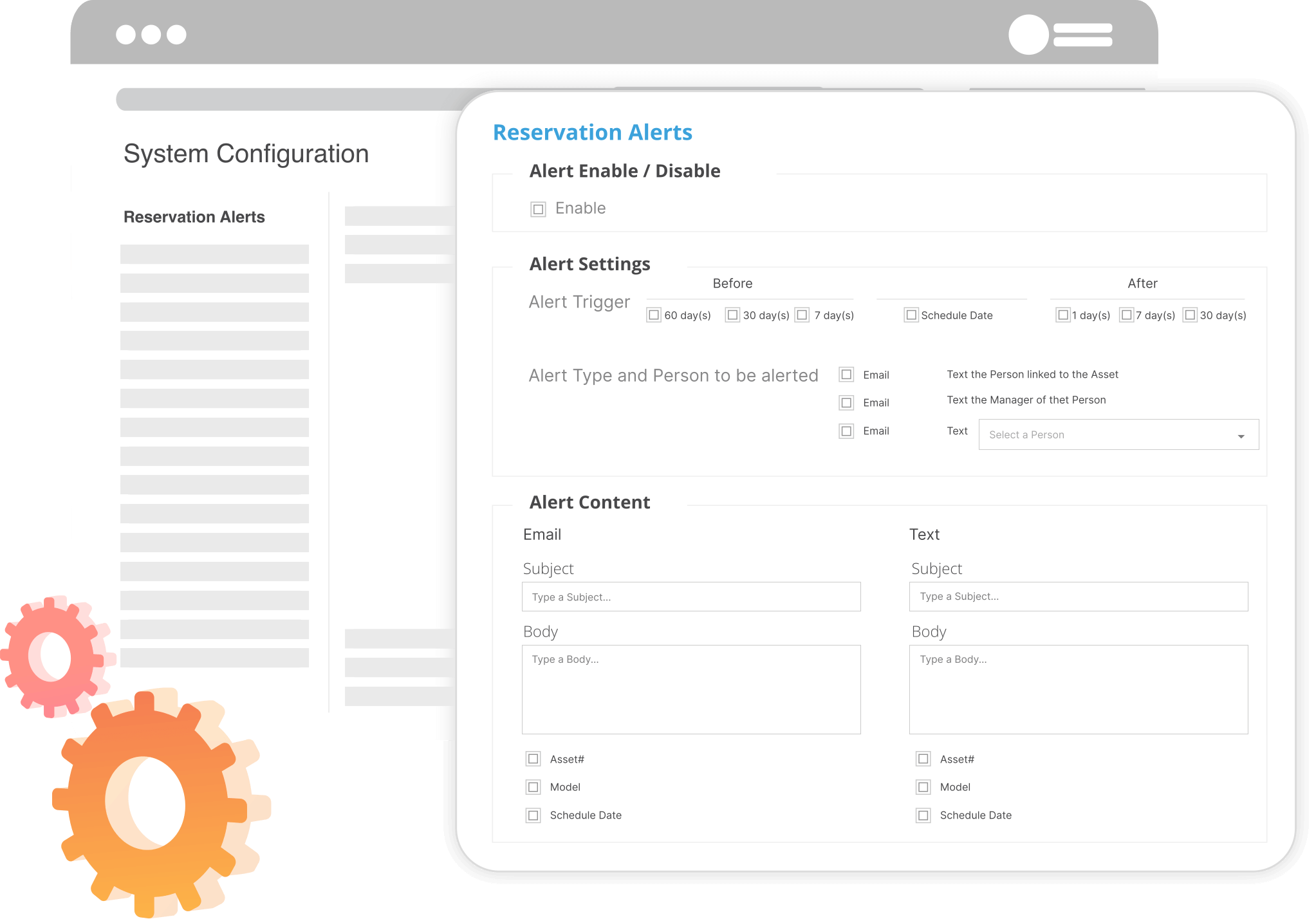
Configure the way you receive business asset reservations alerts
System administrators have the option to enable or disable alerts specific to each reservation. This includes what information the alert contains, and they can choose from existing BarCloud fields to include additional details in the alert. The system administrators can decide:
- The subject and content of the alert
- Scheduled check out/check in dates
- Locations that the asset will be in
- The delivery of the alert, either through text messages or emails
- To include information such as Asset Number or Model.
- The recipients of the alert, either the requestor, the requestor’s manager or both.
Utilize the My Work Assets Add-On
Manage the access of non-system users
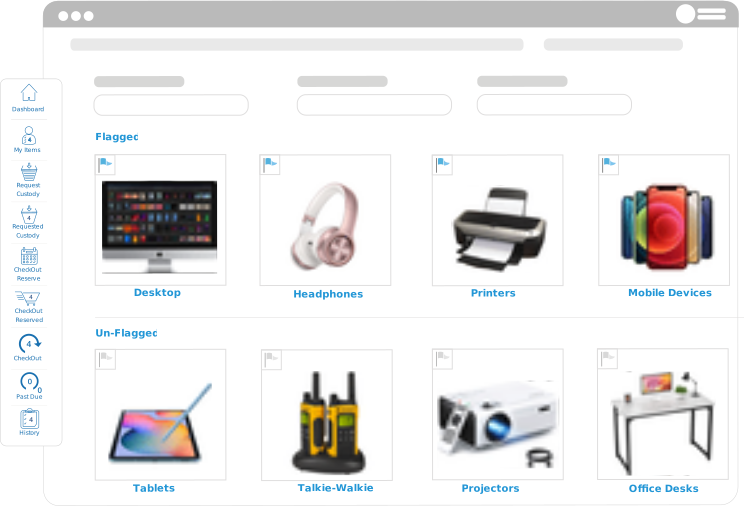
Depending on your business needs, you can also have employees that don’t interact with the Asset Management Software daily to utilize the My Work Assets add-on. We refer to these users as non-system users. Authorized non-system users can also have access to the “My Work Assets” interface add-on. They can use it to view the list of assets assigned to them, reserve items for future use, and place requests for maintenance in real time. This feature can also assist with the disposal of assets.
Not Just for Asset Management
Explore what else you can do with our systems
We also offer options for inventory control software or combined solutions that manages both inventory and assets. We have the perfect long-term solutions to grow and scale up your business, no matter the size. Learn more about what options may work best for you through our demos!