


How to Set Up a Barcode Inventory System for Your Business
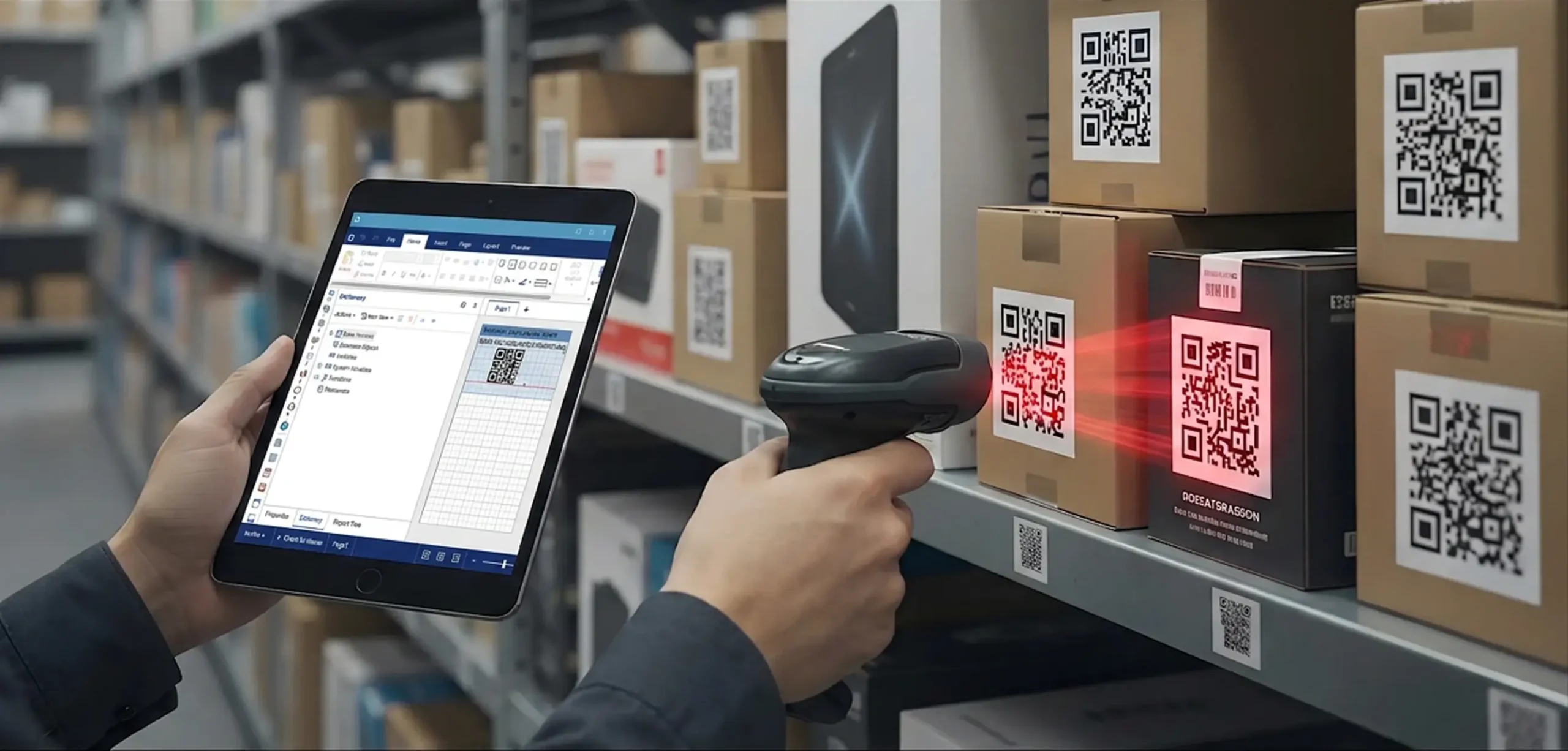
If your business depends on manual data entry on spreadsheets or other disconnected methods to track your inventory, chances are you’re fed up with it by now. These methods not only take a long time, but they’re also prone to error and don’t mesh with modern digital workflows. As you’ve searched for alternatives, no doubt you’ve discovered barcoding and how it can streamline your inventory management processes.
Barcode systems give every item in your inventory a unique code that can be scanned using handheld devices connected to a single software platform. This system means items can be added or subtracted from your counts automatically, and those updates are pushed to every user throughout the system in real-time. By implementing a barcode system in your warehouses and distribution centers, you can achieve faster inventory and cycle counts, which speeds up your receiving and order fulfillment processes. You also gain better visibility into exactly where every item is, where it’s been, and where it’s going.
Starting a barcode inventory system for your business can pay off major dividends in terms of efficiency, accuracy, and operational improvements. However, it’s difficult to attain the full benefits of the technology without the right approach to implementing it. That’s why we’ve put together a step-by-step guide to help you understand the process. From taking care of your inventory data to selecting the right barcode format to instituting scanning workflows, this guide should be able to help you ensure a smooth and efficient deployment in your operations.
Plan Your Inventory Data Before Creating Barcodes
Your first impulse may be to start slapping barcode labels on all your items, but that’s jumping the gun. Without a clearly defined and structured format for inventory data, even barcoding can become as jumbled and confusing as pen-and-paper tracking. This should start with auditing your current inventory data to make sure it is clean and standardized. Without this step, you could run into trouble later as you encounter duplicate records or conflicting identifiers. Many companies organize their inventory data first using spreadsheets or CSV files before they import the information into their inventory management software platform.
Planning inventory data also means determining which key data fields you’ll need for each item and for your barcode inventory workflows. Every item should receive its own unique code or SKU, which should fill in these critical data fields each time the code is scanned. Examples of some of the most important types of product data used to identify an item include:
- SKU or item code
- Product name or description
- Product category
- Unit of measure
- Storage location or bin
- Quantity on hand
In some cases, product variants may necessitate the addition of fields for color, size, and/or configuration.
Choose the Right Barcode Type for Inventory Tracking
There are two main types of barcodes, and the one you choose could have a significant impact on your operations:
- 1D barcodes are the ones most people think of, with vertical lines of various widths and patterns used to represent an alphanumeric code.
- 2D barcodes store information in a grid pattern and can communicate more data. A QR code is an example of a 2D barcode.
In some instances, companies may need to use specific GS1-registered barcodes that are universally accepted by major retailers such as Walmart and Amazon.
Many barcode inventory systems utilize 1D formats such as Code 128 or Code 39 because they are the types most widely supported by scanner technology. However, 2D codes may be the better option if your inventory data features more complexity or serial numbers. Whichever code is being considered, it’s important to note that in most cases the code is merely used to trigger the information being recalled from the central database.
Choosing the proper barcode format as soon as possible prevents relabeling products or changing your scanning equipment later. Make sure the format you choose is supported by the scanning hardware you’ll be using, as well.
Select Inventory Software for Barcode Management
Beyond barcode labels and scanners, you’ll need a strong inventory software platform to manage all your product records and process scans. At the minimum, this software should provide you with functions such as:
- Barcode generation
- Barcode label printing
- Mobile scanning support
- Inventory location tracking
- Stock adjustments and transfers
When a barcode is scanned, the product record is retrieved from the central database. Depending on the context, scanning also may trigger an automatic inventory update or change transaction records.
In addition to the core features mentioned above, many inventory systems also offer the ability to import existing inventory lists, which makes it easier to transition from spreadsheets. Be sure the software platform you choose supports mobile scanning workflows such as receiving, issuing inventory, or performing cycle counts. Your software shouldn’t just identify items when scanned. It should be capable of automating your inventory tracking.
Choose Barcode Scanners and Label Printers
The hardware you choose for your barcode system is critical. Scanners and printers make up much of the backbone of the warehouse barcode system, and there are several options for each. In terms of scanners, you can choose from wired scanners typically used at fixed workstations or wireless scanners that allow for more mobility throughout your facility. Depending on the system and compatibility, you may be able to use mobile devices such as smartphones with scanning apps that utilize the device’s camera. Many operations use ruggedized handheld computers designed specifically for this purpose, especially in high-volume warehouse or field service environments. You should make sure the scanning device you use will meet your needs for scan frequency, the work environment, and mobility requirements.
Thermal label printers are the most commonly used type of printers for barcode systems. This is due to their ability to produce durable and easily scannable barcode labels. The quality of the printer and the label stock will have a big impact on barcodes’ readability and long-term durability, so choose carefully and ensure all your scanning hardware will support the barcode format you’ve chosen.
Generate and Print Barcode Labels for Inventory
With all the components in place, the time has come to familiarize yourself and your teams with how to use your new barcode inventory tracking system. Barcodes can be generated through inventory software featuring built-in generation tools or using dedicated barcode generation software.
Barcode identifiers typically encode an SKU or item ID, which links it to the product record contained in the system. When creating the label design, it should feature the barcode itself in an easily scannable format. Additionally, it may require text that can be read by humans such as the SKU number or product name. Ideally, you should start by printing test labels before producing large batches. This will ensure your scanners read them consistently before you commit to the formatting.
Barcode labels can be applied to individual items as well as cartons, pallets, storage bins, and shelves. Many companies use batch printing to generate labels for large inventory lists as efficiently as possible.
Label Your Inventory and Storage Locations
Some of the best practices for applying barcode labels include:
- Placing labels on flat surfaces whenever possible
- Avoiding seams, curves, or areas that experience frequent abrasion
- Ensuring labels will always be visible when items are stored
With consistent label placement, employees will be able to find and scan barcodes without wasting time searching for them. One way to improve organization is through location barcodes, which are placed on bins, shelves, and even entire rooms. These support warehouse bin tracking, stock transfers between locations, and faster inventory counts. Labeling locations as well as individual items enables more precise inventory tracking. Also, be sure to integrate barcode labeling into your receiving workflow, so every item receives a label before being stored.
Use Barcode Scanning for Inventory Operations
Ideally, inventory barcode tracking should become part of your daily operational workflows, taking the place of manual data entry and management. Some of the most common types of inventory workflows that can benefit from barcode scanning include:
- Receiving inventory to confirm items against purchase orders
- Putaway for ensuring items are assigned to the proper storage locations
- Order picking and packing to verify items are correct before shipping
- Stock transfers when moving items between warehouses or bins
- Inventory adjustments to prevent and correct discrepancies
Scanning barcodes means every transaction updates inventory records immediately in the system. This helps simplify inventory counts and cycle counts, allowing staff members to verify quantities as quickly as possible. The process also improves operational visibility by creating digital records of inventory movement. Having consistent scanning procedures is necessary for maintaining accurate inventory data over time, as well.
Getting Started with Barcode Inventory Setup
To review, here are the key steps you should take when transitioning to a barcode inventory system:
- Organize inventory data and SKUs
- Select barcode formats and identifiers
- Choose compatible barcode inventory software and hardware
- Generate and apply barcode labels
- Integrate barcode scanning into inventory workflows
A successful barcode system implementation depends on using consistent processes, having accurate item records, and creating reliable scanning workflows. If this is done correctly, a barcode system for inventory management provides a scalable approach to inventory that supports growing operations, multiple locations, and increasing inventory complexity.
BarCloud’s platform is the perfect example of a barcode platform that supports inventory and asset tracking. It combines barcode generation, scanning, and barcode inventory management in a single, easy-to-use system. If you’re in the market for a barcode scanning system that delivers the maximum benefit for your operations, get started by reaching out and learning everything BarCloud can do for you.
How can we help?
Quick actions to find your perfect inventory system.
How can we help?
Quick actions to find your perfect inventory system.
Download the 2026 Comparison Guide
Get the full feature-by-feature breakdown — pricing, integrations, and ratings included.
Schedule a Free Consultation
An inventory expert will guide you through your options based on your specific needs.
Get a Demo & Free Trial
See how BarCloud's inventory system fits your business — book a personalized walkthrough.
Request a Quote
Tell us about your business and we'll send pricing tailored to your inventory needs.
Your download is starting…
If it doesn't begin automatically, click below.
Download PDFThanks — we'll be in touch.
A BarCloud specialist will reach out within one business day.