

Multisite Inventory and Asset Management Software
Manage Your Inventory and Assets Located in Different Sites
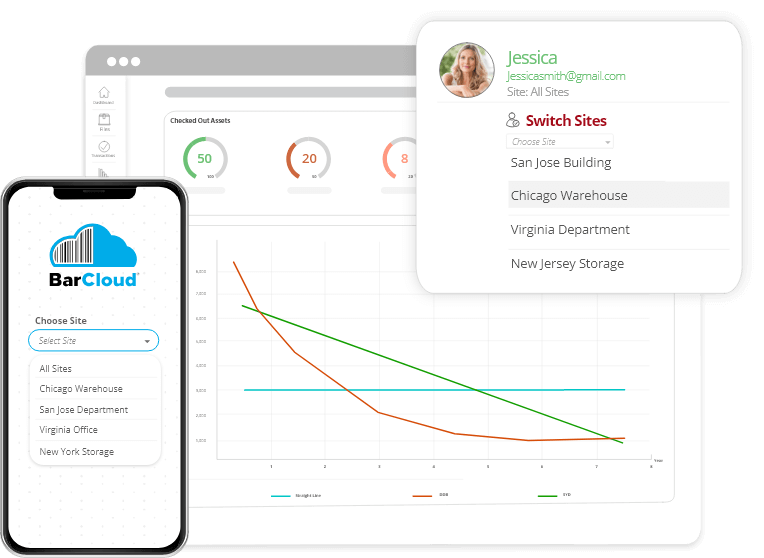
Our Multisite system lets you manage multiple sites/locations with one system
What is a Multisite System?
Let’s break it down for you
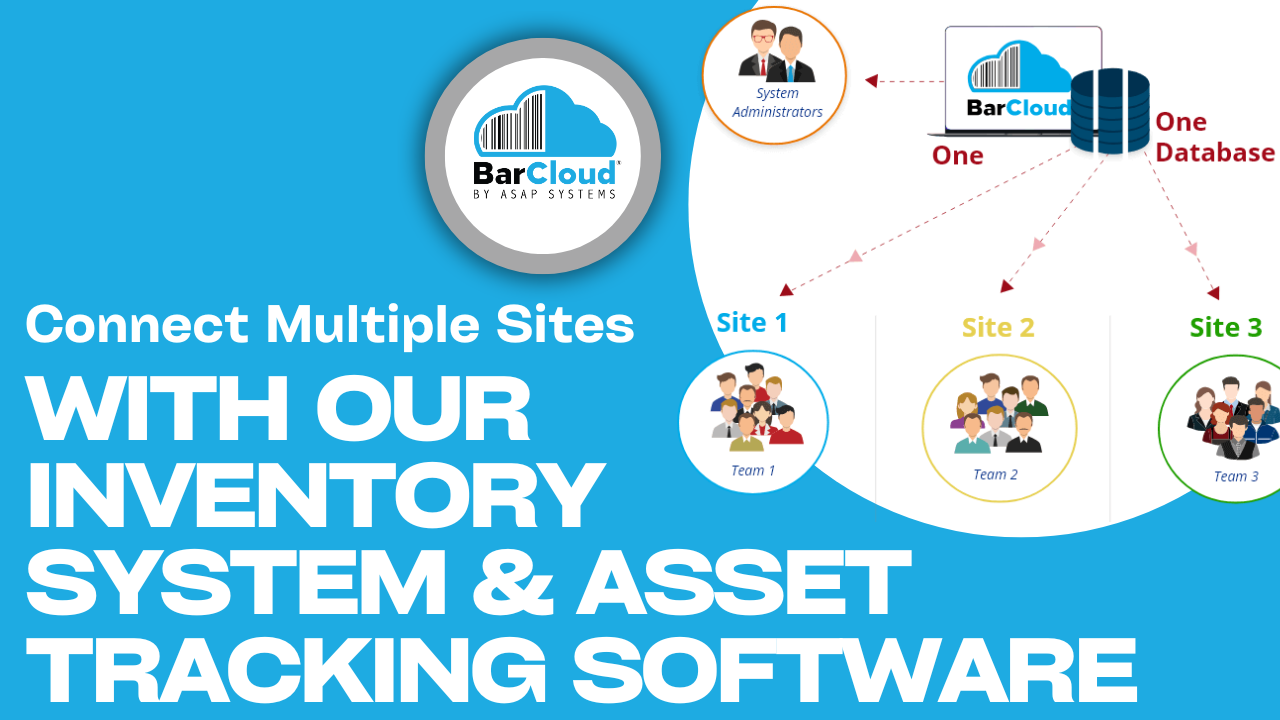
Let’s say that you are a huge corporation with different divisions worldwide , and you need a system to help you manage all your inventory and assets within each site. Since you have several sites that work differently, other companies would make you purchase multiple systems to keep the data separate from each other. This can get expensive and tedious to maintain.
Ultimately, Our Multisite System allows you to separate data from each site, while only using one complete and powerful system. It is perfect for medium-sized companies and large corporations. We are the only Inventory and Asset Tracking System that can do this. No other company can provide you with this type of enterprise inventory management software, and we know that you will love it.
Extending Multi-Site Inventory Management Beyond Basic Visibility
BarCloud’s multi-site structure supports consistent processes across locations. For example, it unifies item naming conventions and standardizes receiving or issuing procedures. Managing multiple locations from a single system in this manner streamlines communication and reduces your administrative overhead. With the consolidated data our platform delivers, you can make faster, stronger decisions without having to juggle disconnected spreadsheets or systems.
BarCloud does more than just provide shared access to inventory data — it creates better coordination and accountability throughout your organization. With BarCloud, you can have multiple warehouses feed information into a single company-wide inventory view, even if those warehouses feature unique operations.
How It Works
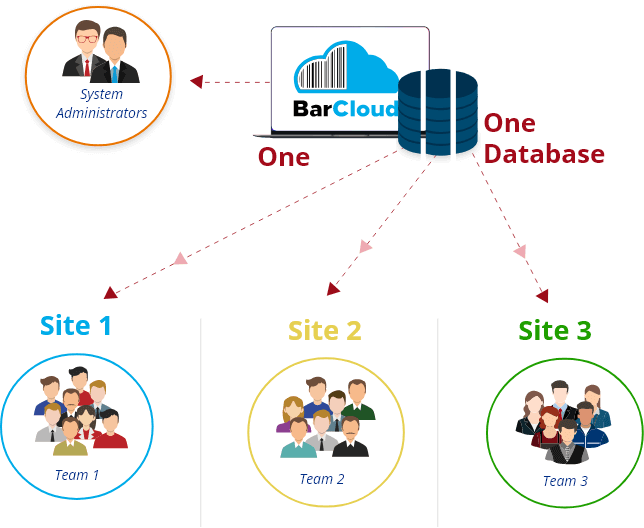
Purchase one system, select Global Administrators, share, and create divisions.
After purchasing our multisite system, your organization can choose at least one Global Administrator. They will be equipped with:
- One database that can be divided between different sites
- Access to all asset data at each site
- The ability to easily switch sites and make changes within the system
- Visibility to the universal data throughout all Inventory Locations and Asset Locations
These sites are not visible to one another and have independent data and users. Every division will have at least one Site Administrator and numerous Concurrent Users. Everyone else who is not a Concurrent User, or an Administrator, will have their own access through My Work Assets or the Inventory Requestor Feature.
Configurable Access and Control for Every Site
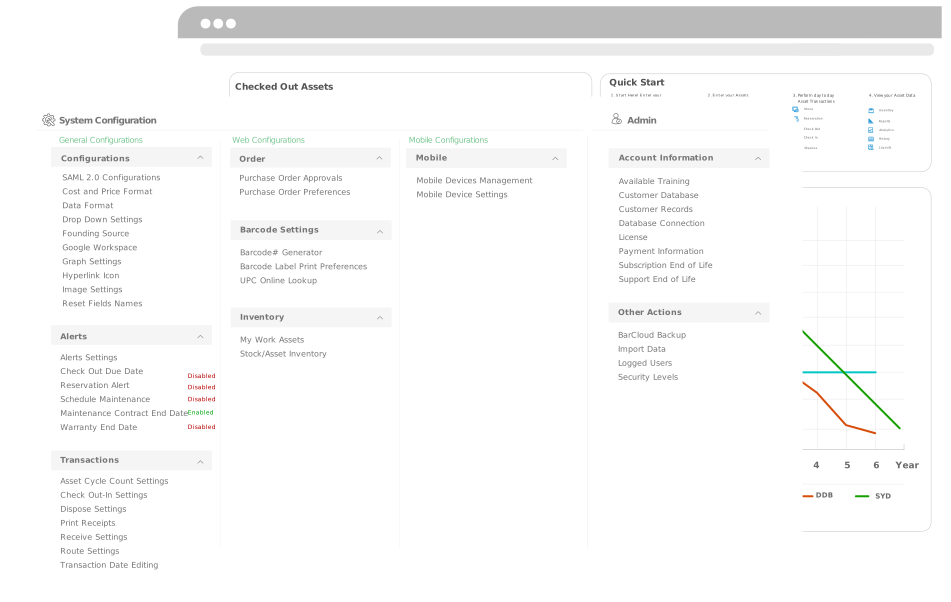
With BarCloud, you can assign access based on location, department, or responsibility level, which supports both corporate oversight and site autonomy. Role-based permissions help protect sensitive information such as financials and serialized data while also empowering local users to manage day-to-day activities. The permission flexibility we offer helps simplify your growth by making it easier to add new sites without compromising inventory control across locations. With BarCloud, you can experience fewer errors, stronger audit trails, and transparency across all operations.
Efficient Coordination Between Locations
Multi-site businesses often need to transfer items, tools, and materials between locations. With BarCloud’s shared database, all these movements are recorded with accuracy at both sending and receiving sites. Keeping track of all these records within the same platform means teams can reduce double entries, miscounts, and items lost during transfers. Because every transfer can be logged with date, origin, and destination, you can experience a higher degree of traceability and accountability.
Request Inventory & Assets
View and Request Inventory & Assets with our Inventory Requestor and My Work Assets Features
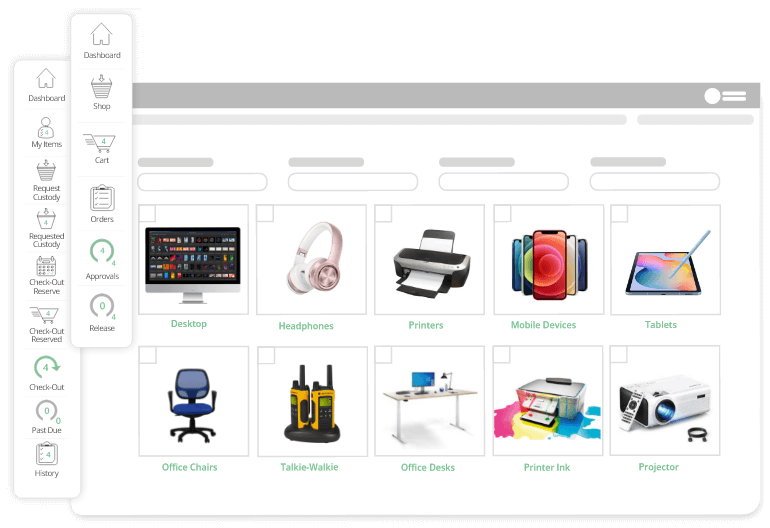
As mentioned previously, everyone else who is not a Concurrent User, or an Administrator, will have their own access through My Work Assets or the Inventory Requestor Feature. The Inventory requestor feature for inventory and the My Work Assets feature for assets are essentially digital stores that the system creates for you based on all the inventory and assets that you enter into the system.
Everyone in your organization can view and browse through all the inventory and assets that are available and can request them within the multi-warehouse inventory system. These requests would have to be approved by an administrator, but if anyone in your organization needs access to an item, they can go to the digital store, see what’s available, and submit a request.
Organization-Wide Insights and Reporting
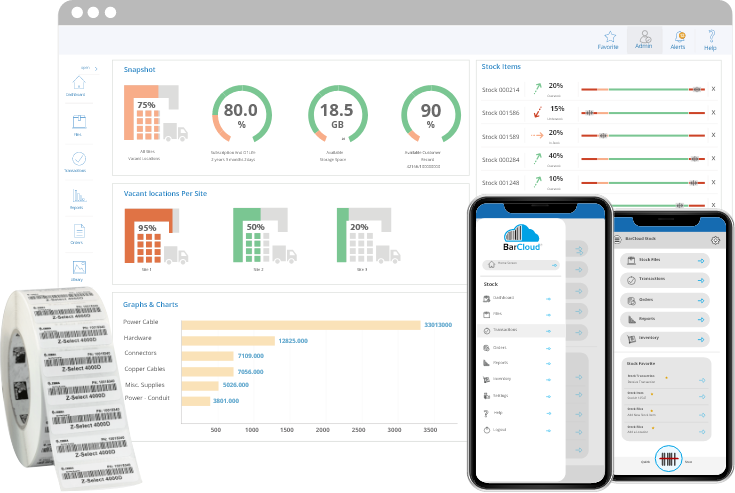
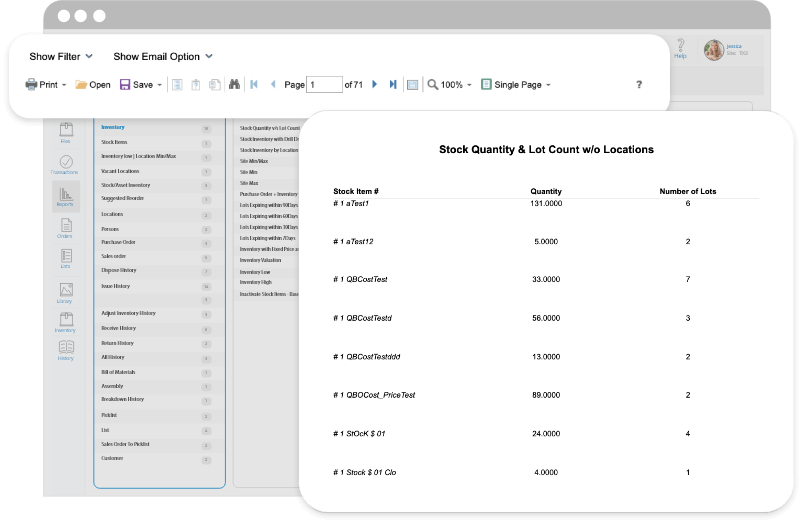
BarCloud’s centralized inventory management database allows you to generate consistent, standardized reports for all locations. This ensures leadership sees the same KPIs across sites, giving you the clarity, accuracy, and transparency you need. With BarCloud, you can keep on eye on critical metrics such as total inventory value, stock on hand by site, asset utilization by department, and more. With consistent reporting, you will be able to reduce confusion and support long-term planning or compliance documentation. Reports can be generated and reviewed from any connected site, ensuring real-time inventory visibility for managers overseeing multiple regions.
FAQs
How do companies typically transition from a single-location system to a multi-site inventory setup?
In most cases, companies start with a single location and expand by adding sites as their operations grow. BarCloud’s architecture supports this by allowing users to duplicate item structures, categories, and site-level inventory permissions without needing to start from scratch each time. Data consistency is maintained across each new site to avoid duplication, and our team is ready to provide onboarding guidance to make the transition as smooth as possible.
Can each site customize how inventory is organized without affecting other locations?
Yes, each site can tailor its internal organization — including naming conventions, bin locations, and local categories — to match how that team operates. These customizations remain independent, meaning one site’s changes won’t will not overwrite another’s. This flexibility allows local teams to remain efficient while preserving the overall consistency in your company-wide reporting.
What level of visibility do regional or corporate managers have across all sites?
Global and regional admins can view consolidated data for all sites from a single dashboard through BarCloud. The reporting tools enable comparisons between inventory locations without exposing unnecessary details to local users. This transparency enables corporate leaders to track trends, stock levels, and usage patterns without logging into each site one at a time.
How does multi-location inventory management help prevent stock discrepancies or duplicate records?
With all sites sharing a single database, changes in inventory levels will be reflected system-wide in real-time. Audit trails and timestamped updates also eliminate double entries and manual syncing errors. Because BarCloud utilizes standard item IDs and unified data entry procedures, you can minimize the risk of duplication, as well. This improved inventory accuracy across sites leads to more -reliable reporting and ordering decisions.
Does the system work for both asset and inventory tracking across multiple locations?
Yes, BarCloud’s multi-site framework supports both inventory and asset management. Each module tracks consumable items and fixed assets differently but uses the same underlying site structure. Users have the power to use both functions at the same time, making it ideal for organizations managing materials, tools, and equipment.
What kind of support or training is available for teams managing multiple sites?
BarCloud provides training and documentation tailored for multi-site users, with support to guide new admins through the process of adding locations, setting permissions, and standardizing workflows. With our ongoing support, you can ensure system consistency as your company grows. Our responsive technical assistance means you can scale your system with confidence.