


Track Asset Disposal Without Deleting Records
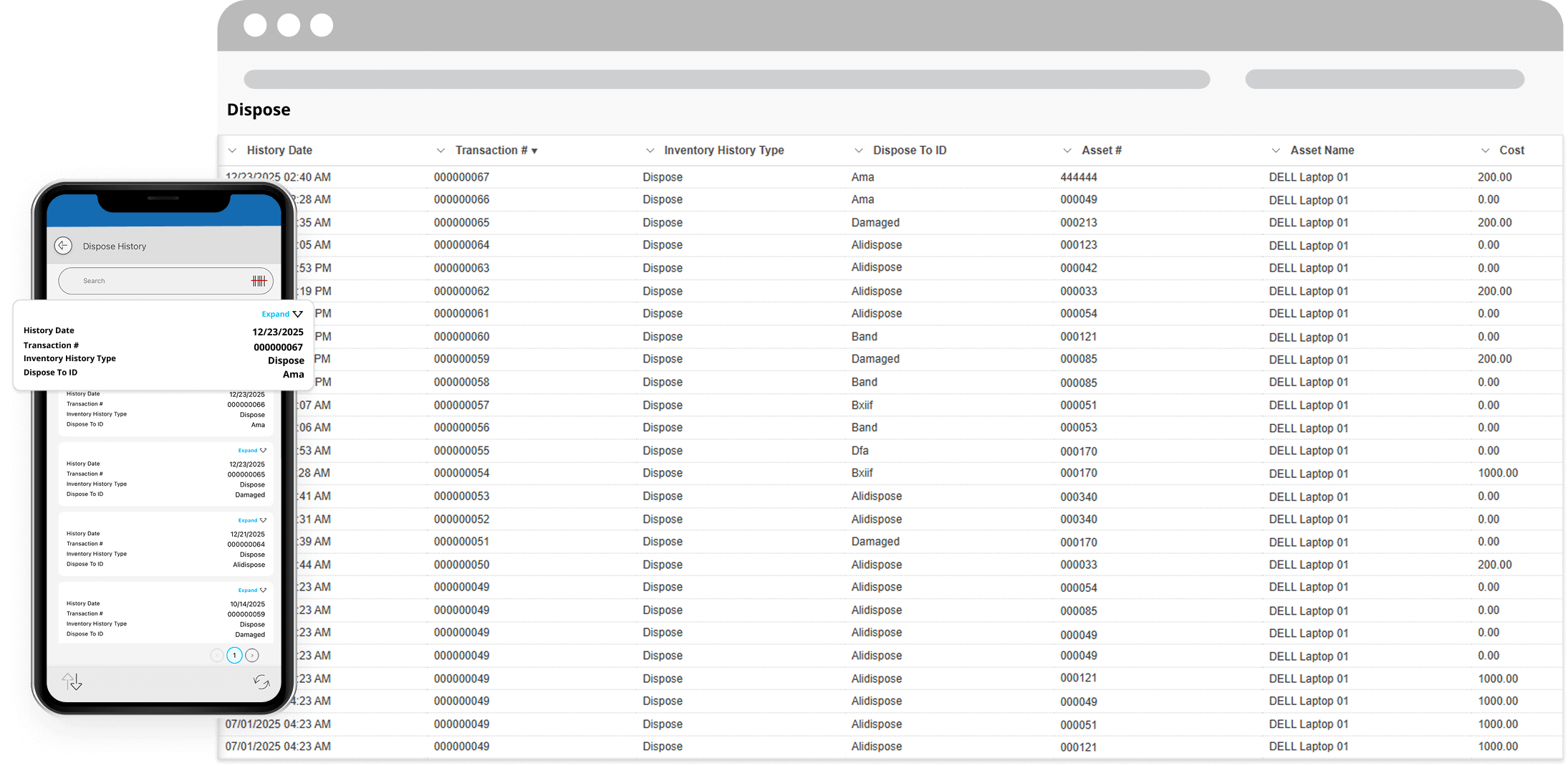
The Dispose Asset transaction allows teams to remove assets from active use without deleting them from the asset tracking system.
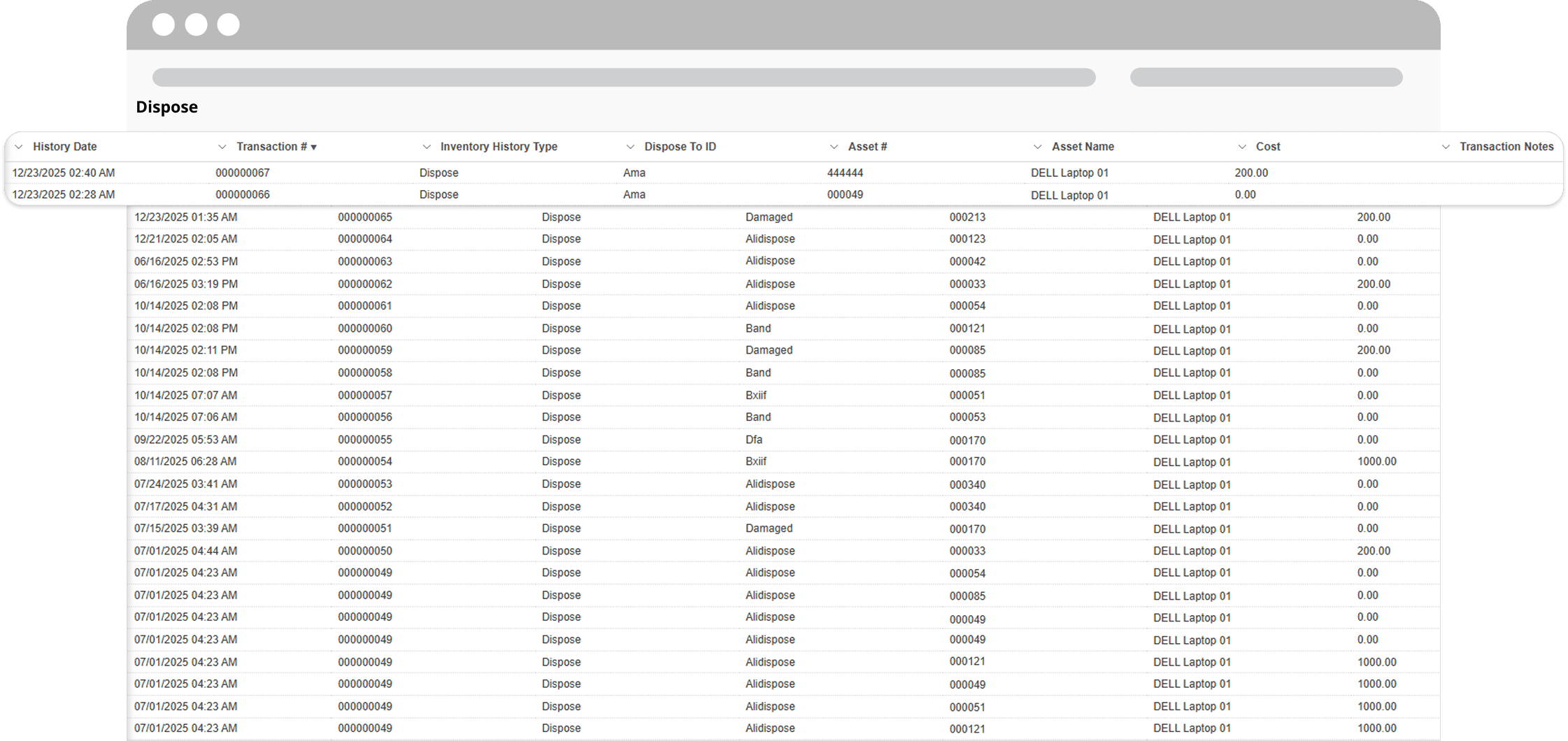
Disposed assets are marked inactive while retaining complete historical data—including ownership, location changes, maintenance history, and disposal details—ensuring long-term traceability and accountability.
The Benefits of Disposing Assets Properly
Preserve Asset History
Maintain a complete audit trail for every asset, even after it reaches end of life—supporting audits, reporting, and long-term recordkeeping.
Support Compliance and Audits
Retain proof of asset disposal with documented reasons, dates, and responsible users to meet internal controls and regulatory requirements.
Keep Active Asset Lists Clean
Remove retired assets from active workflows without permanently deleting records, reducing clutter while keeping data accessible.
Improve Accountability
Track who disposed of an asset, when it occurred, and why—providing transparency across teams and departments.
Enable Asset Reactivation
Disposed assets can be reactivated if needed, allowing organizations to recover records or reuse assets without data loss.
Why Use Our Asset Management System for Asset Disposal?
Unlike systems that permanently delete assets, our Asset Management Software keeps disposed items accessible as inactive records.
This approach ensures organizations retain full asset traceability throughout the entire lifecycle—from acquisition to disposal—without sacrificing data integrity or compliance.
Centralized Asset Visibility Across Teams and Locations
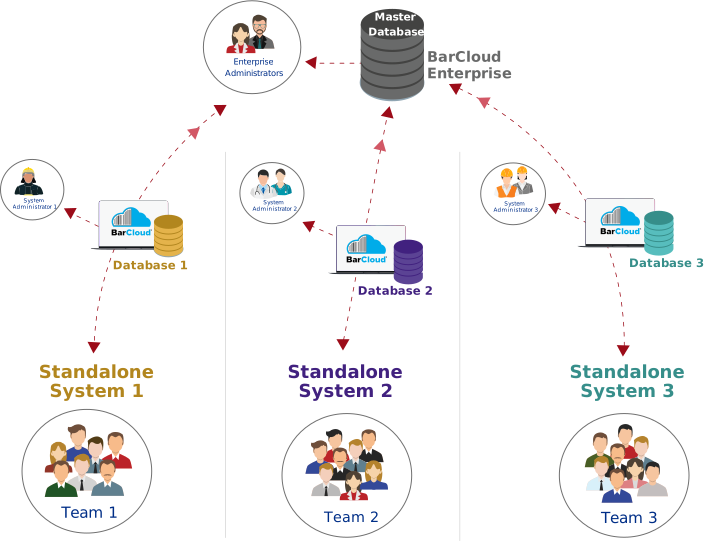
BarCloud provides a centralized asset management system that connects multiple teams, locations, and databases into a single source of truth. Whether you manage a single facility or a distributed organization, all asset activity is synchronized in real time—giving administrators full visibility while allowing teams to manage assets within their own environments. Asset disposal records remain accessible across the organization, preserving full lifecycle history and auditability even after assets are retired.
Dispose Assets Using the Mobile App
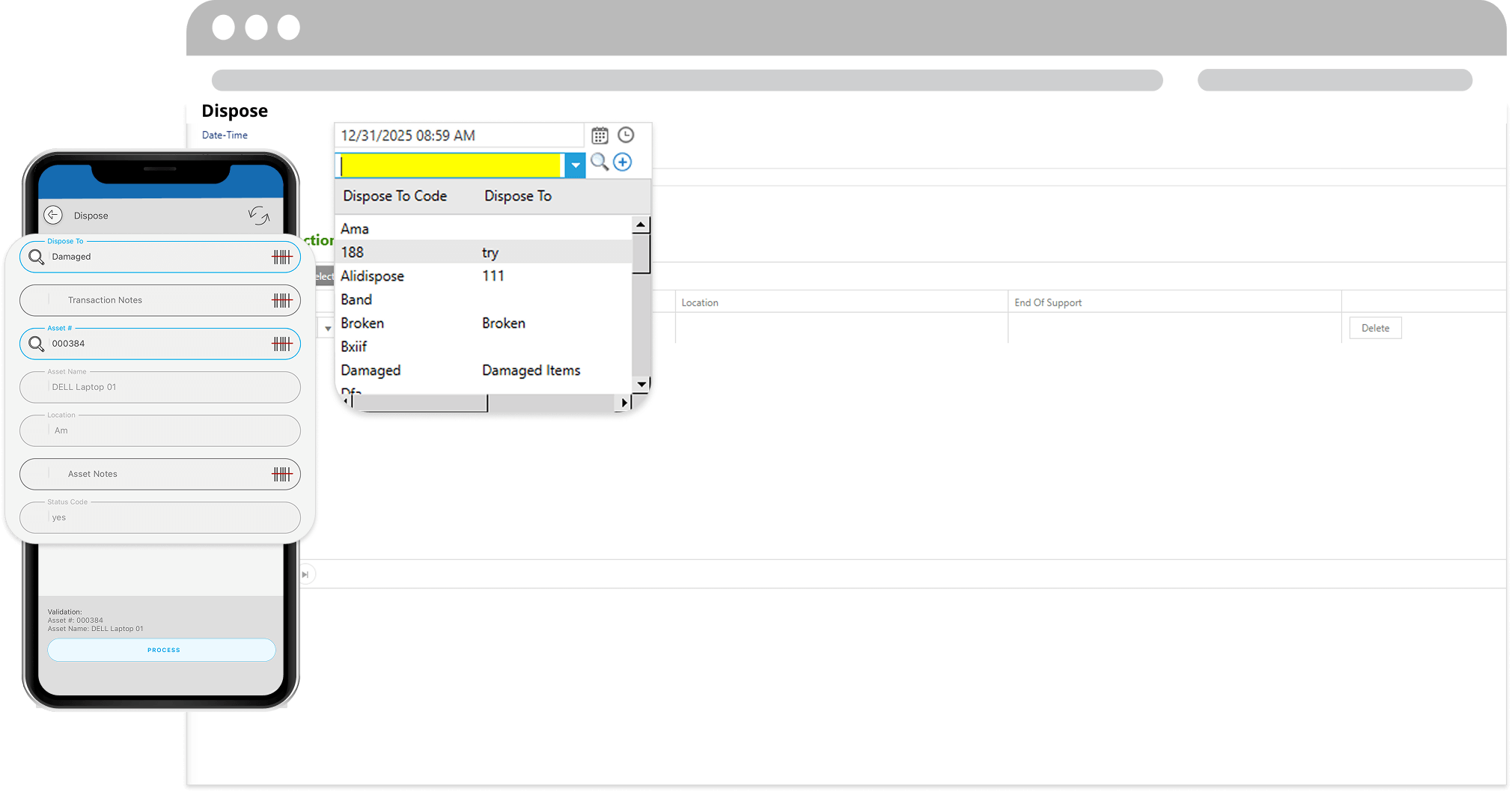
Assets can be disposed directly from the field, warehouse, or facility using our mobile app.
Compatible with both iOS and Android devices, users can scan asset barcodes, select disposal reasons, and complete transactions in real time—keeping records accurate without returning to a workstation.
FAQs
What does it mean to dispose of an asset?
Disposing of an asset removes it from active use while keeping its full history intact. The asset is marked inactive rather than deleted, ensuring all past data remains accessible.
Does disposing an asset delete it from the system?
No. Disposed assets are not deleted. They remain in the system as inactive records and can be viewed, reported on, or reactivated if needed.
Why is asset disposal important for compliance?
Many organizations—especially in government, education, and regulated industries—must maintain records of retired assets. Asset disposal ensures traceability, accountability, and audit readiness even after assets reach end of life.
Can I reactivate a disposed asset?
Yes. Administrators can reactivate disposed assets at any time, restoring them to active status while preserving their full history.
Can assets be disposed using barcode scanning?
Yes. Asset disposal supports barcode scanning, allowing users to quickly identify and retire assets with fewer errors.
Can I dispose of assets using the mobile app?
Yes. Assets can be disposed directly from the mobile app on iOS or Android devices by scanning barcodes or selecting asset records.