



How The Issue Inventory Feature Works
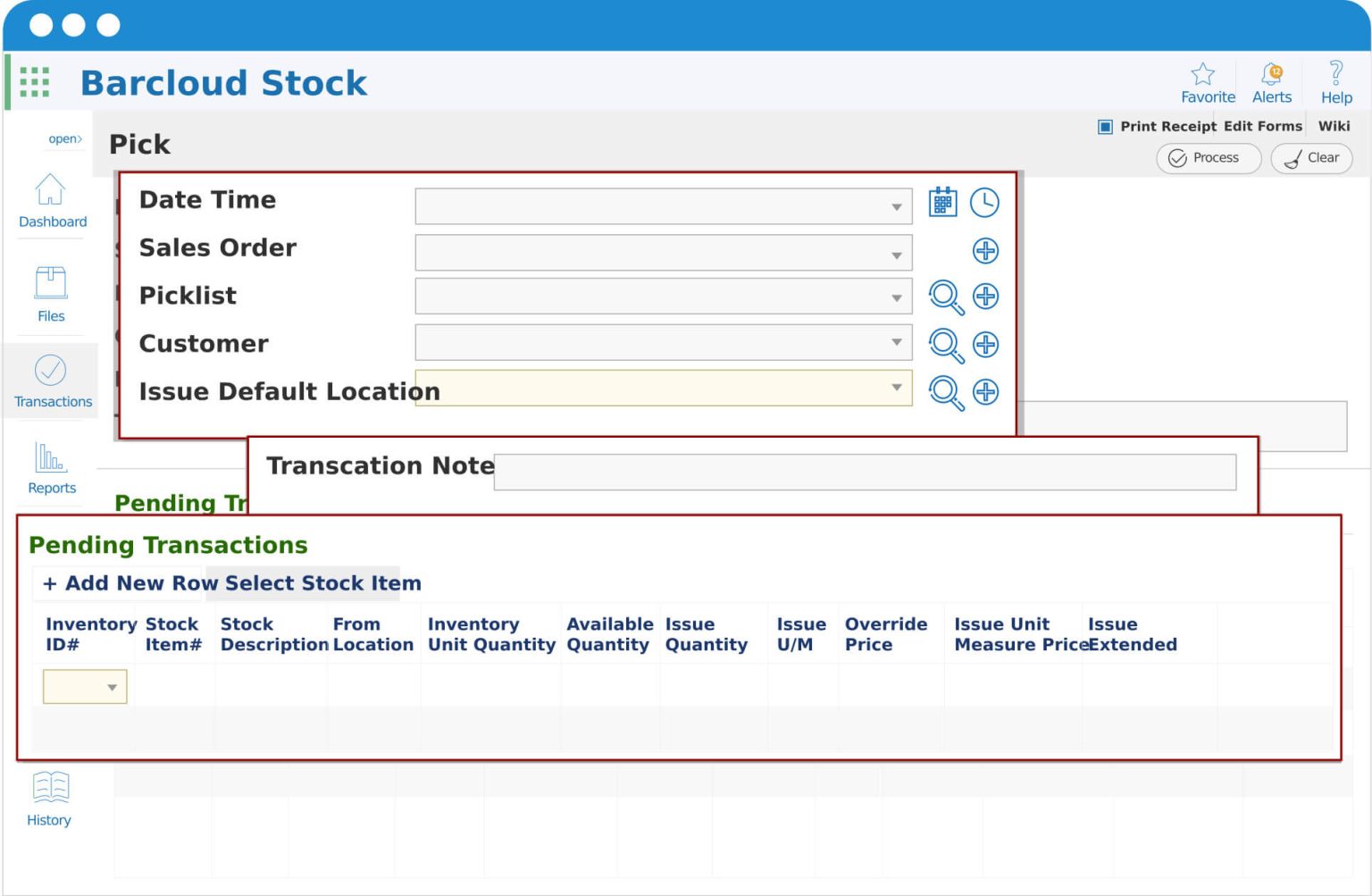
Our Inventory System standardizes and simplifies the process of issuing inventory to customers, departments, or job sites.
Teams can quickly issue materials, supplies, or parts while automatically deducting quantities from available stock.
Optional, configurable fields allow you to capture details such as customers, jobs, departments, or sales orders, ensuring full traceability and tighter inventory control throughout the entire workflow.
Why You Need It
Simplified Workflow
Required fields are consolidated into a single workflow, making it easy for users to issue inventory accurately and efficiently. Optional fields such as customers, sales orders, pick lists, and locations can be enabled based on your workflow needs.
Improved Accuracy
Real-time tracking within our barcode tracking solution automatically updates inventory levels as items are consumed, reducing discrepancies and eliminating manual adjustments.
Enhanced Traceability
Maintain a complete transaction history for every issued item, including who issued it, when it was used, and where it was allocated.
Increased Efficiency
By eliminating spreadsheets and after-the-fact corrections, teams spend less time managing inventory data and more time focusing on operational priorities.
Issue Inventory Faster with Picklists
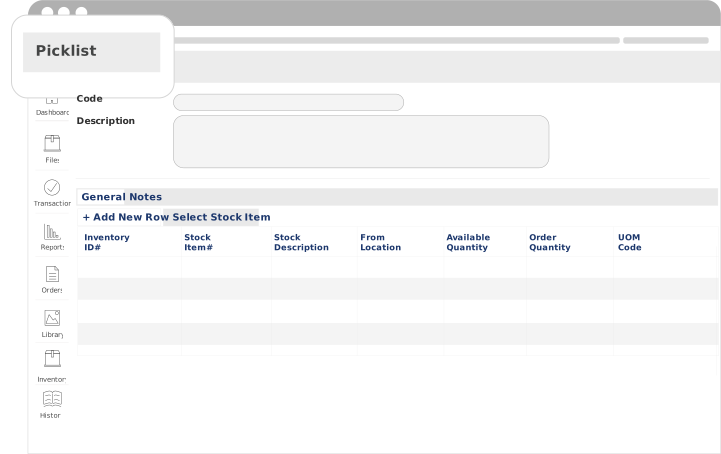
Picklists help teams prepare and issue inventory more efficiently by grouping items into a single, scannable list.
Instead of issuing items one at a time, users can scan or select a Picklist to issue multiple items in one workflow—reducing errors and speeding up fulfillment.
They can be used for both Issue and Move Inventory transactions, making them a flexible tool across your inventory workflows.
Centralized Inventory Visibility Across Teams and Locations
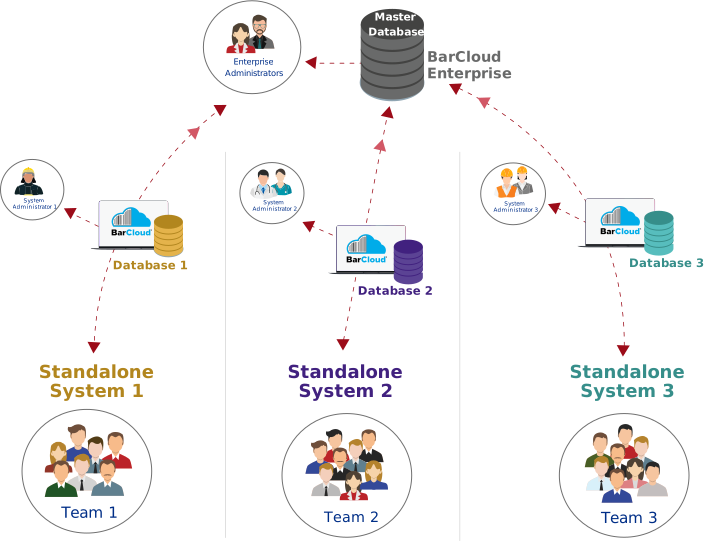
BarCloud provides a centralized inventory system that connects multiple teams, locations, and databases into a single source of truth. Whether you operate one site or many, all inventory activity is synchronized in real time—giving administrators complete visibility while allowing individual teams to work independently within their own environments. Inventory issuing activity is recorded consistently across all teams and locations, ensuring accurate usage tracking, accountability, and reporting across the organization
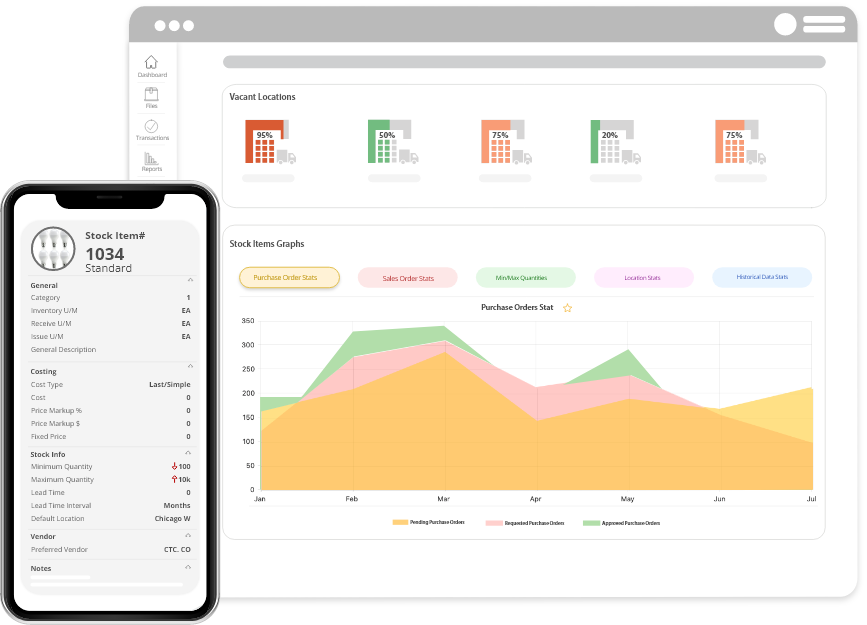
Inventory Control In Your Pocket
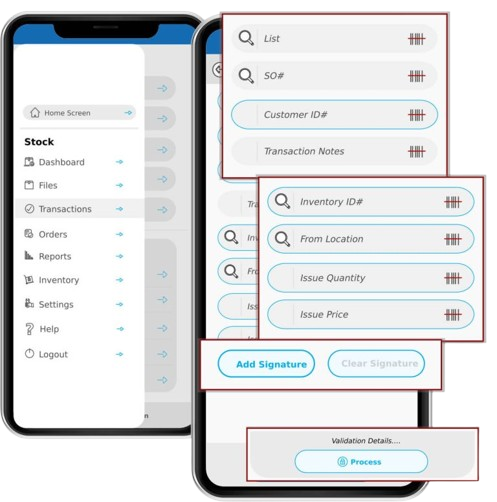
Our Mobile App is compatible with both iOS and Android devices and is available on the App Store and Google Play Store.
Users can type or scan directly into any field, making it easy to issue inventory from the field, warehouse floor, or job site. Built-in lookup tools allow users to quickly search inventory records, verify availability, and issue items on the spot—without returning to a workstation.
Who Uses It
The Issue Inventory feature is ideal for organizations that need to track inventory items that are issued, used, or permanently removed from stock, including:
- Fire & EMS departments issuing medical supplies, equipment, and response materials
- Military organizations tracking issued gear, supplies, and mission-critical inventory
- Maintenance teams consuming parts for repairs and upkeep
- IT teams tracking deployed consumables and equipment accessories
- Healthcare teams managing medical and clinical supplies
- Construction teams managing materials that are issued on job sites
- And more!
FAQs
What is Issue inventory?
Issue Inventory refers to the process of issuing items from stock for use, consumption, or deployment. When inventory is issued, quantities are automatically deducted from available stock while maintaining a complete transaction history.
When should I use Issue Inventory instead of Move Inventory?
Use Issue Inventory when items are issued, used, or depleted—such as medical supplies, repair parts, construction materials, or issued gear. Use Move Inventory when items are transferred between locations but remain available in stock.
Does issuing inventory update stock levels automatically?
Yes. Inventory levels are updated in real time as items are issued, ensuring accurate availability, reporting, and reorder planning across all locations.
Can I track issued inventory by job, department, or mission?
Yes. Issued inventory can be associated with reference fields such as jobs, departments, customers, work orders, or missions, allowing for detailed tracking and reporting.
Is Issued inventory tracked with barcodes?
Yes. The Issue Inventory feature works with barcode scanning, allowing users to quickly scan items when issuing or consuming inventory for faster, more accurate tracking.
Can I issue inventory using the mobile app?
Yes. Users can issue inventory directly from the mobile app on iOS or Android devices by scanning barcodes or entering quantities, making it easy to issue items from the field, job site, or warehouse.
Who typically uses the Issue Inventory feature?
Issue Inventory is commonly used by Fire & EMS departments, military organizations, construction teams, maintenance teams, IT departments, and any organization that needs to track inventory items that are used and not returned.
Can I return inventory after it has been issued?
Yes. Issued inventory can be returned using the Return transaction, allowing items to be placed back into available stock while preserving full transaction history.