


Set Up Your Configurable Alerts
Prompt and informative stock level notifications from our inventory control software
Timely stock alerts are what give businesses enough reaction time to continue running smoothly and successfully. Without them, you run the risk of running out of stock.
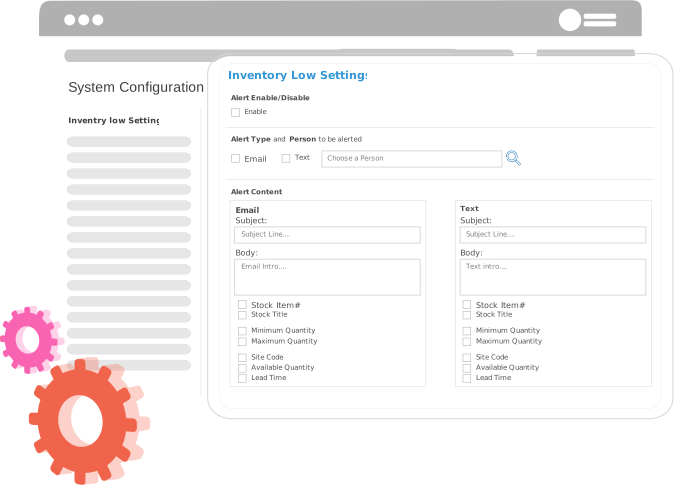
Our inventory management software comes with configurable inventory alerts, so you always know when your inventory levels are dipping too low or running too high.
Why Are Inventory Alerts Important for Your Business?
Learn about the benefits of Alerts in our Inventory Control Software
Quick reaction times
With prompt Alerts, you and your employees can collaborate and act fast at crucial moments to solve issues without missing a beat.
Streamline inventory tracking workflows
With timely Alerts, time management becomes more efficient, allowing you to work more productively
Opens communication channels
With alerts issued to everyone involved in the inventory workflow, your team will be on the same page and always stay up to date.
What Alerts Can I Configure?
Learn about what inventory alerts are available for you
- Inventory levels that are too high
- Inventory levels that are too low
- Out of stock situations
- Inventory expiry date alerts
- Inventory transactions (Receive, Dispose and Move Inventory)
- Min/Max Quantity Exceeded
- Sales Orders and Purchase Order Approvals
- Inventory Requisition Alerts
How Are the Alerts Sent Out?
Learn about the types of alerts in our Inventory Management Software
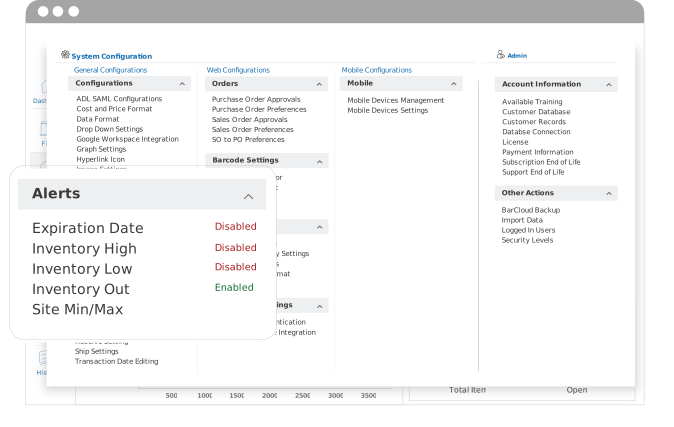
System Alerts
This type of alert is available without our Inventory Management Systems itself in the Alert icon, where you can access active inventory alerts from across your site.
SMS Text Alerts
We wanted to make it easy to get alerts whether you’re online or offline, and text messages do just that. This type of alert is sent directly to your phone number.
Email Alerts
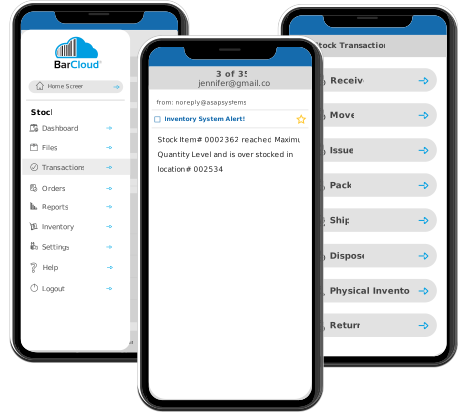
This type of alert delivers automated inventory level notifications to your email and can be sent to everyone in your team.
Stay Informed with Our Mobile App
Learn how alerts work on our Inventory Tracking Mobile App
Our Inventory Management Mobile App works in tandem with our browser application. This means that you can also receive real-time inventory alerts even when you’re on the move. Our Mobile App is compatible with both iOS and Android devices.
Inventory Alert System Workflows That Strengthen Inventory Control
The alert system built into our inventory management platform is designed to notify teams automatically whenever stock levels fall outside of pre-determined thresholds. This eliminates the need for constant manual checks by pushing inventory threshold notifications to the people directly responsible for action. With BarCloud, you can support proactive replenishment, control issuing and receiving, and gain tighter oversight of shared inventory. All of this adds up to mean fewer stockouts and less excess inventory buildup.
For example, Our low stock alerts can be configured around various inventory behaviors, including min/max levels for replenishment items, expiry alerts for date-sensitive stock, and transaction alerts for movement-heavy inventory. By providing all teams with these inventory shortage alerts or overstock alerts, you can ensure all inventory decisions are made with the same real-time data. This means less miscommunication and better efficiency.
Not just for inventory control
Explore what else you can do with our systems
We also offer options for asset management software or combined solutions that manages both inventory and assets. We have the perfect long-term solutions to grow and scale up your business, no matter the size. Learn more about what options may work best for you through our demos!
FAQs
What are inventory alerts?
Inventory alerts are automated notifications that inform users when inventory levels, conditions, or thresholds require attention. These alerts help teams respond quickly to events such as low stock, overstock, or unusual activity. BarCloud includes inventory alert functionality to help teams stay informed and proactive.
How do inventory alerts help prevent stockouts?
Inventory alerts help prevent stockouts by notifying teams when inventory levels fall below predefined minimum thresholds. This allows organizations to reorder or rebalance inventory before items run out. BarCloud supports configurable alerts to help reduce the risk of unexpected shortages.
Can inventory alerts be customized?
Yes, inventory alerts can be customized based on item type, quantity thresholds, locations, or usage conditions. This flexibility allows organizations to align alerts with their workflows and operational priorities. BarCloud allows users to configure inventory alerts to match their specific needs.
Who should receive inventory alert notifications?
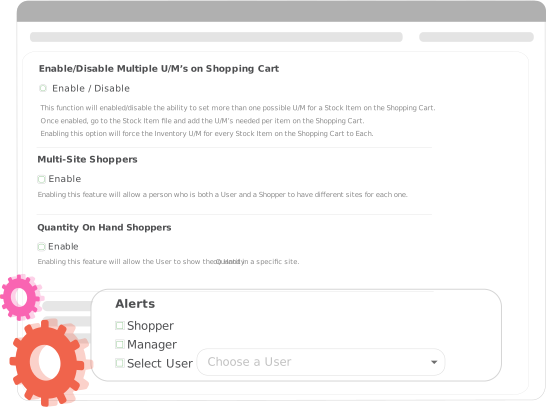
Inventory alert notifications are typically sent to users or teams responsible for managing inventory, such as inventory managers, purchasing teams, warehouse staff, or supervisors. Routing alerts by role ensures the right people receive the right information at the right time. BarCloud enables alert notifications to be assigned to designated users or roles.
How do min/max inventory alerts work in BarCloud?
BarCloud allows users to set minimum and maximum quantity thresholds for items or item categories. When on-hand inventory falls outside of these defined levels, the system triggers an alert so teams can take action. This helps organizations maintain balanced inventory levels and avoid shortages or overstock.
Can BarCloud send alerts for inventory movement and approvals?
Yes, BarCloud can send alerts related to inventory movement and approval-based transactions such as receiving, adjustments, or disposals. These alerts notify designated approvers when action is required, helping teams maintain controlled inventory workflows and internal accountability.