



Pack and Ship Quicker and Easier
Process Outgoing Shipments Faster Than Ever
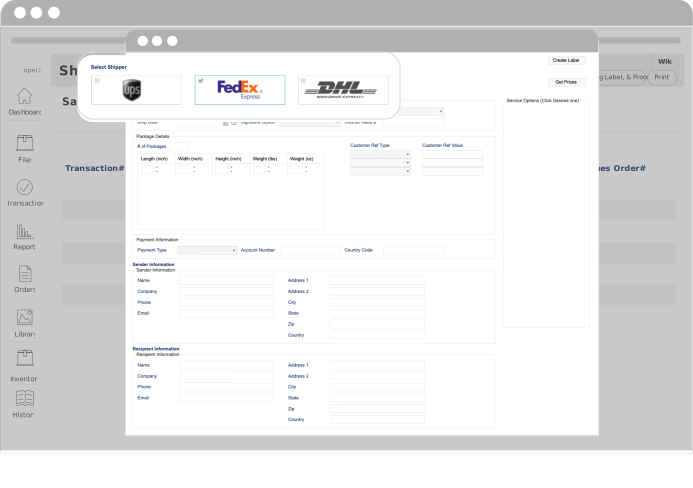
It is always nice to have an efficient and streamlined order fulfillment process. With Our industry leading Inventory Management Software, users can process shipments mush faster and easier through our direct integration with FedEx, UPS, and DHL.
Pack and Ship Inventory Software Built Into Your System
Gain Consistency Throughout Your Inventory Management
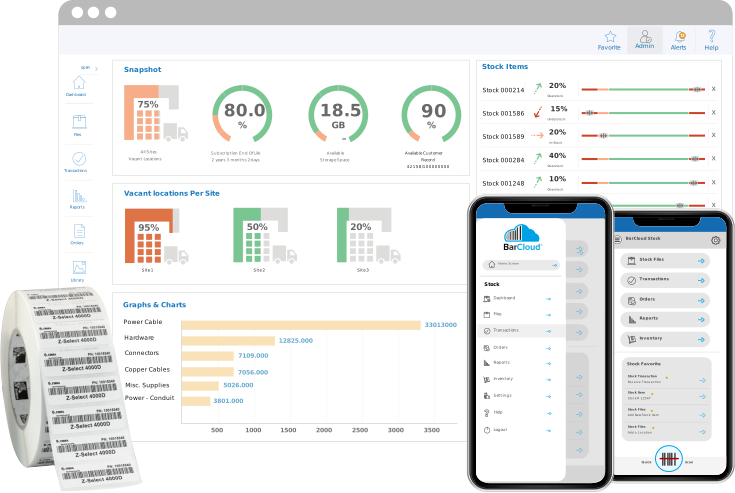
BarCloud’s pack and ship software is built into our complete inventory management system. That means orders and packed and shipped directly from tracked inventory without exporting them to a different platform. Inventory items selected during the picking process become part of the sales order, preserving your inventory accuracy throughout warehouse inventory shipping and packing.
This supports your inventory control by ensuring shipped quantities, locations, and statuses are updated at the same time as part of the same inventory fulfillment workflow. This reduces duplicate entries and disconnected order data. This feature is designed for use by teams that ship inventory from warehouses or internal locations, rather than general-purpose shipping or ecommerce fulfillment.
Packing and Shipping Inventory Orders
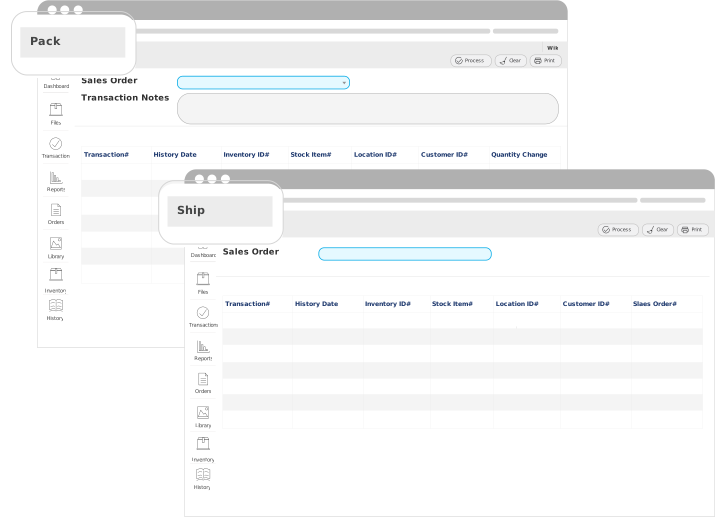
Follow these three steps to pack and ship inventory orders
- Step 1 – Pick Inventory: For the “Pick” function, you will select or “pick” the Inventory items or shipping inventory between locations. These items would make up or create a “Sales Order” within our inventory pack and ship system.
- Step 2 – Pack Inventory: Pack the Inventory items that you “picked” and “process” the order. Once processed, you will be able to print out a packing slip with all of the details in the order.
- Step 3 – Ship Inventory: Now, set shipping carrier account information, input who you would like to send the parcel to, fill out the box dimensions, print the shipping label, and send the shipment out with inventory movement tracking.
Inventory Pack & Ship Benefits
Here are the 4 main benefits of using our software to pack and ship your inventory
- Pick, pack, and ship inventory easily
- Compare shipping prices with our packing and shipping inventory system
- Print labels directly from our inventory shipping software
- Ship Inventory directly from your warehouse

Inventory Accuracy and Control Throughout the Pack and Ship Process
By packing and shipping inventory from within the system, BarCloud’s inventory order fulfillment software helps you ensure inventory quantities and locations remain consistent as items leave your warehouse. Our inventory order fulfillment software generates packing slips and shipping labels tied to the same inventory records used for tracking and reporting, which supports your ongoing inventory accuracy.
This feature is especially important for organizations shipping stock between locations, to customers, or to jobsites, such as medical supplies, fire and EMS services, or restoration services. BarCloud’s inventory shipping software gives you more than a way to print labels — it’s a pack and ship inventory control tool.