


How to Improve Your Inventory Receiving Process
Receiving Process Explained
Our Inventory Management System gives organizations and businesses the opportunity to streamline the daily inventory receive process. With our Inventory Receive feature, users can receive 4 different types of inventory and choose the location for each item in the quickest and most efficient way possible.
Barcloud helps you standardize the inventory intake workflow, creating a consistent intake sequence consisting of item identification, quantity, location, and other required details. This means your receiving department does not have to rely on individual knowledge. You’ll gain greater inventory receiving accuracy, which is critical because receiving is the most effective point for preventing inventory discrepancies before items move downstream.
With structured inputs, you can ensure a consistent goods receiving process regardless of who is performing the task. Correct location assignments also lead to more-reliable on-hand inventory counts and fewer misplaced items. Barcloud records serial numbers, batch/lot identifiers, and relevant dates at receipt to maintain complete records.
Inventory Receive Locations
Receive Inventory to a Predefined or Default Location
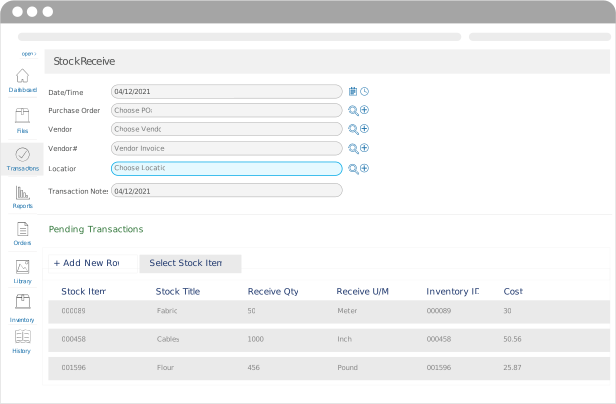
It’s always better to get accurate details into the system upon receipt than to go back and correct errors later. With our Inventory receive feature, users can receive inventory items to a predefined or default location. Instead of manually entering the location you want to receive your inventory to, the receiving inventory system will provide you with a list of locations that are already defined by you that you can choose from. This helps reduce decision fatigue for staff receiving inventory, especially in fast-paced or high-volume environments.
Also, there might be some inventory items that you know always must be received to a specific location each time. In that case, you can set a default location for certain items so whenever you scan those items in the future, the default location will always generate. Barcloud’s receiving location assignment functionality supports cleaner reporting, easier audits, and more reliable stock availability across warehouses and stockrooms.
Receive Inventory Unit of Measure
Our system uses many different types of units of measure
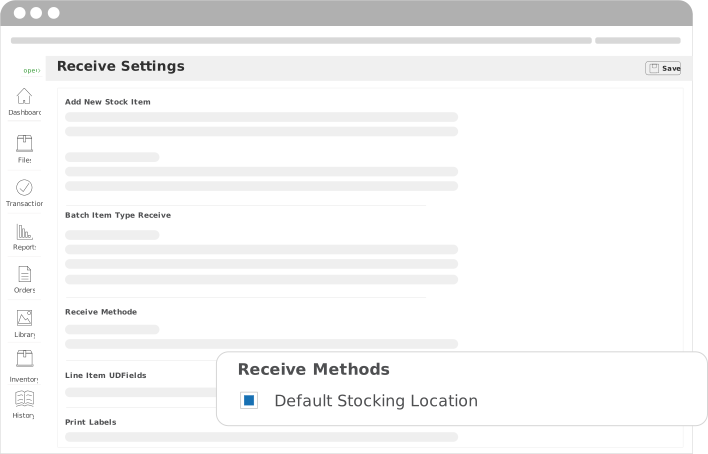
Our Receive Inventory feature also allows users to easily receive inventory using many different types of units of measure. Examples include:
- Quantity
- Volume
- Length
- Weight
UD Field Configurations
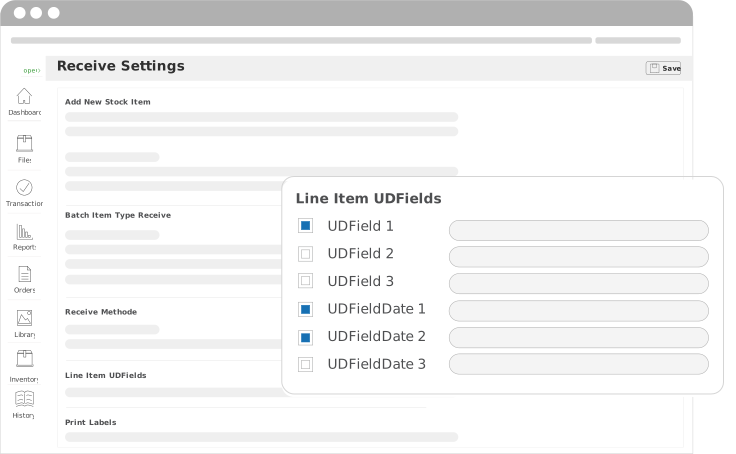
Configure the Receive Inventory UD fields
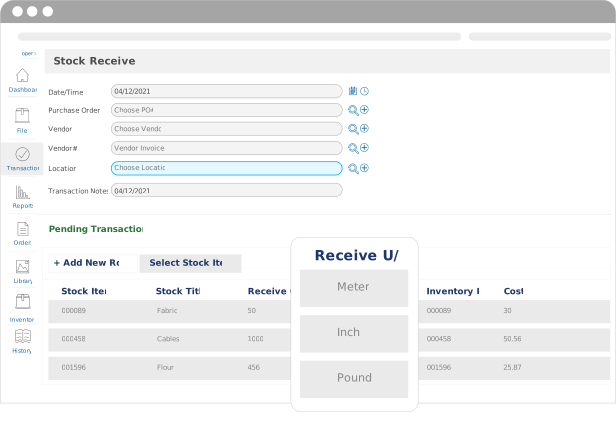
System Administrators can add configurable fields and date fields within the receive inventory feature. These include:
- Color
- Serial Number
- Manufacturing Date
- QA Date
Types of Inventory
You Can Receive Four Different Types of Inventory
Standard Inventory
Standard Inventory items are the most basic form of inventory. They can be used for anything from pens and pencils to desks or chairs.
Batch-Lot Inventory
Batch-Lot Inventory items can include medications and medical supplies or any type of inventory that might have an expiry date.
Serial Number Inventory
Serial Inventory are items that can be managed with a unique number. An example could be solar panels.
Serialized with Quantity
Serial with Quantity Inventory can be received with a unique serial number and still have a quantity per roll that can be consumed by length.
Inventory Receiving Software for Multi-Location Operations
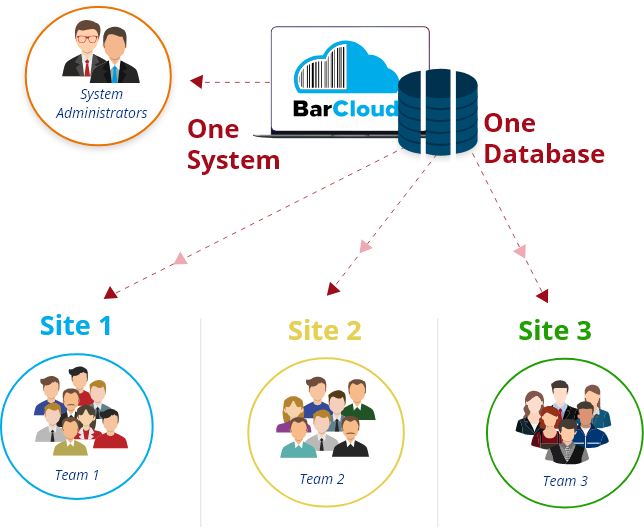
Barcloud multi-site inventory receiving software enables consistent receiving processes across multiple locations while still allowing location-specific configurations.
This can give you the power to resolve common challenges such as inconsistent intake practices, delayed visibility, and location-level discrepancies. With visibility across locations, you’ll be able to support accurate availability views.
Inventory Mobile App
Receive inventory using your mobile devices
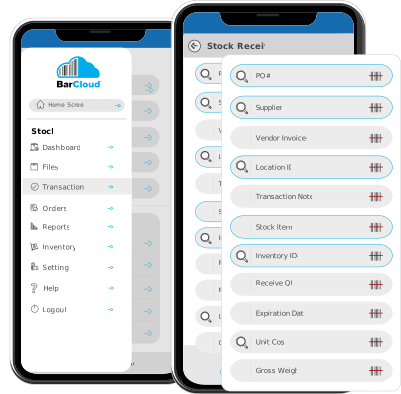
Easily receive Inventory using our Mobile App. As a system administrator, you pre-configure our Mobile App to include routines such as default quantities or locations. This mobile inventory receiving would eliminate the need to enter the quantity or location each time an item is received. All you need is a mobile device with a back camera, and you can scan barcodes and receive inventory through the mobile app.
Can Inventory Management Software Alert Me When Items Are Received?
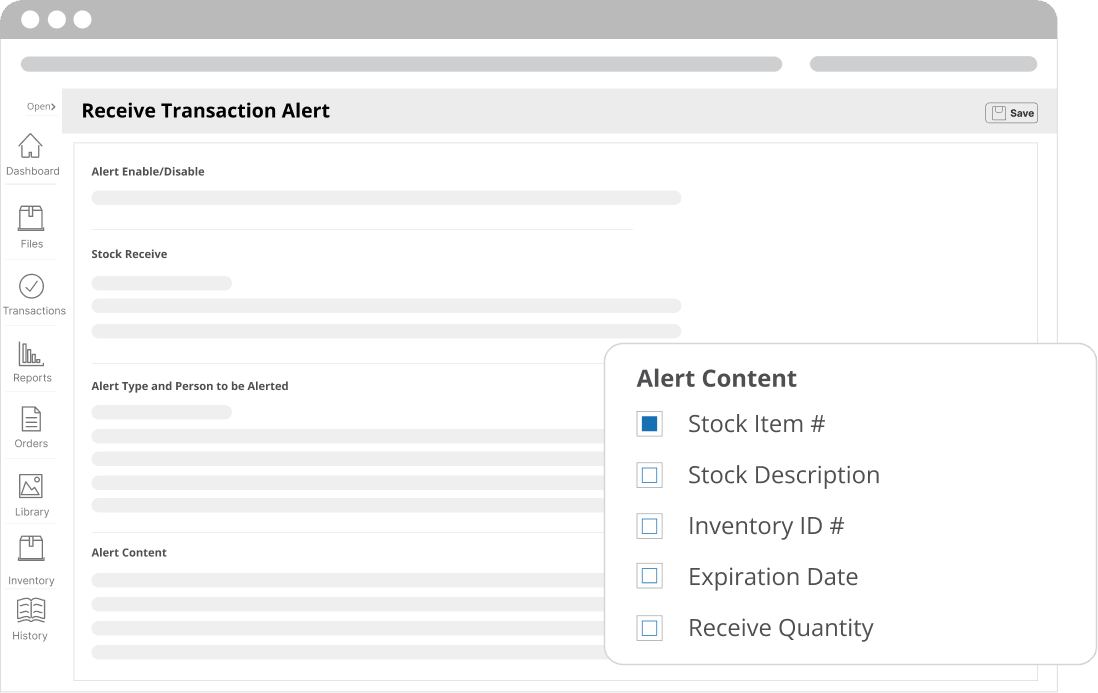
Yes, you can automatically notify designated users when a Receive transaction is completed. This gives your team greater visibility into incoming inventory and helps warehouse managers, purchasing teams, and other users stay informed without having to manually check whether items have arrived. Receive Transaction Alerts help keep the right people updated as inventory enters your operation, making it easier to coordinate receiving activities and maintain visibility across your locations.
Improving Inventory Accuracy at the Point of Receipt
Most inventory discrepancies stem from issues at the point of receipt due to rushed intake, manual entry errors, or unclear processes. Barcloud eliminates these problems by supporting consistent capture of key receiving details such as locations, quantities, units, and configured fields. This leads to significant benefits downstream, including more-reliable reporting, reduced reconciliation effort, and improved operational trust in your data.
FAQs
What is inventory receiving software and how does it work?
This is an inventory receiving tracking system used to record and manage inventory intake into your specific locations. It usually involves capturing quantities, locations, and item details at the time goods are received. Because receiving is the first step in maintaining accurate inventory records, this can lead to significant benefits.
Can inventory receiving software support different inventory types?
Yes, BarCloud can support standard, batch-lot receiving, serialized inventory receiving, and hybrid inventory types. We know that receiving requirements can differ by inventory type and must be captured correctly at the moment and location of intake. That’s why we created BarCloud to provide you with consistency across advanced inventory types.
Is inventory receiving software useful for small teams as well as large organizations?
Our warehouse receiving software scales based on your configuration, rather than the size of your organization. That means even small teams can benefit from consistent receiving records and reduced manual inventory tracking.
How does inventory receiving software support reporting and audits?
With the accurate receiving records delivered by BarCloud barcode receiving software, you can ensure you have reliable inventory reports for tracing discrepancies during audits.